

You're probably staring at three tabs right now. One has an MSP website that sounds polished but says almost nothing about response times. One has a proposal with a monthly fee that looks reasonable until you ask what's included. The third is your inbox, where users are still complaining about Wi‑Fi, Microsoft 365, and a printer that nobody claims to own. That's the Ottawa–Gatineau buying moment. You don't need more marketing. You need it consulting companies that can keep the business running, speak clearly about scope, and show you how they handle support when things break on a Friday night or a long weekend.
Canada's demand for outside IT help isn't speculative. Statistics Canada's Canadian Survey on Business Conditions found that 43.8% of businesses expected to need external advice or support to adopt digital technologies, and 31.5% expected to need help with cybersecurity in the next 12 months, which is exactly why Ottawa and Gatineau buyers should treat IT consulting as an operational decision, not a nice-to-have (Statistics Canada survey summary). The broader Canadian professional-services base is also large, with hundreds of thousands of businesses in the professional, scientific and technical services ecosystem, which means the market is crowded, and you have to separate real depth from a slick sales pitch (Canadian consulting and tech ecosystem overview).
Table of Contents
- What an IT Consulting Company Actually Does for an Ottawa SMB
- Services You Should Expect on the Shortlist
- Pricing Models and What They Mean for Your Budget
- The Shortlist Questions That Expose Real Capability
- Red Flags That Should End the Conversation
- Why Local Ottawa–Gatineau Presence Is Not a Soft Preference
- Onboarding, SLAs, and the First 90 Days
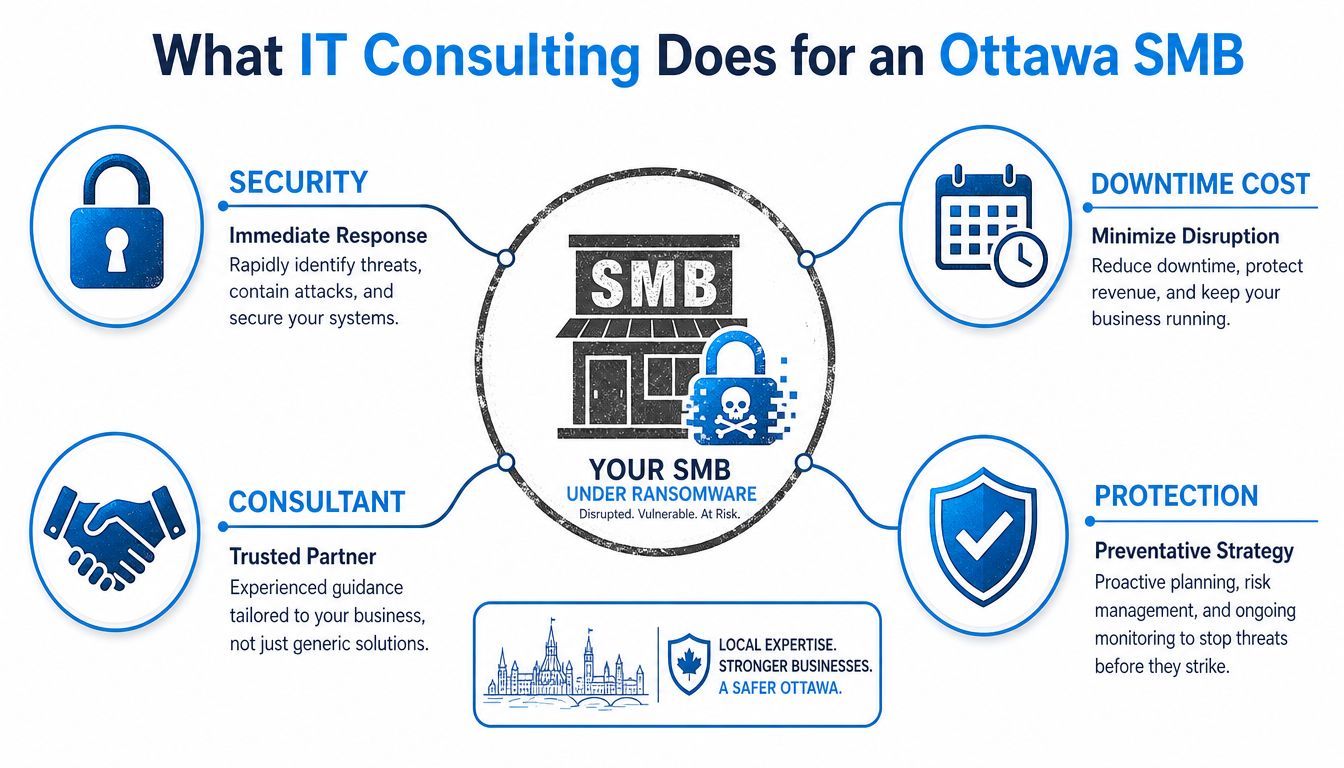
What an IT Consulting Company Actually Does for an Ottawa SMB
A forty-person accounting firm in Ottawa does not usually call for help when everything is fine. It calls when a Sunday night email lands with a ransomware demand, or when staff show up after a long weekend and can't reach shared files, phones, or cloud apps. At that point, the business is not evaluating “IT support” in the abstract. It's trying to recover access to payroll, client records, and the systems that keep revenue moving.
The job is wider than fixing broken laptops
A real IT consulting company sits above the tickets and coordinates the whole environment. That usually includes managed IT services, helpdesk support, cybersecurity, network and security monitoring, cloud migrations, backup and disaster recovery, and voice and telecom procurement. If those pieces are split across four vendors, you'll spend half your time arguing about ownership instead of getting systems restored. A single provider should own the plan, the monitoring, the escalation path, and the documentation.
That's why I'd treat a managed service relationship like a continuity layer, not a labour line item. If the network is down, the provider should already know which switch is in use, where backups live, who can approve a restore, and how to reach your staff. A good baseline for understanding the operational shape of this relationship is a managed services overview such as IT Experts Canada's managed IT services page, because the useful question isn't whether they “do IT”, it's whether they can keep your office usable on a bad day.
Practical rule: if a provider can't explain how email, backup, security, and phone service are coordinated under one operational plan, they're not a full IT partner. They're a collection of separate vendors with one sales deck.
Buy uptime, not hours
Most buyers focus on how many hours they're paying for. That's the wrong lens. You're buying predictable uptime, a defensible security posture, and one accountable team when something fails. In Ottawa–Gatineau, that matters even more because bilingual users, remote staff, and local dispatch expectations make “we'll get back to you” a weak answer.
A firm that only talks in labour hours is selling break-fix. A firm that talks in service coverage, monitoring, restoration, and incident response is selling continuity. Those are not the same thing, and your business already knows the difference the hard way.
Services You Should Expect on the Shortlist
A vendor worth shortlisting should be able to walk through the service stack without stalling or hiding behind jargon. If they can only talk about one slice of the environment, they're too narrow to be your primary partner. The Ottawa–Gatineau market has too many moving parts, cloud, office connectivity, compliance expectations, and bilingual users, to gamble on a specialist who can't see the whole picture.
Start with the operational basics
Managed IT should cover endpoints, servers, patching, and routine administration under defined service plans. That means you should hear specifics about who maintains laptops, who handles server updates, and how they manage routine changes without breaking production. Support technique should be reachable by phone, email, remote session, and onsite visit, because a user who can't print or log in doesn't care which channel the provider prefers.
For security, ask what's in the default stack. You want endpoint protection, web filtering, firewall management, and continuous threat monitoring. If the answer is vague, stop there. A real vendor can describe what gets monitored, what triggers escalation, and what happens when suspicious activity appears overnight.
Don't let cloud and recovery get treated as side work
Cloud solutions should include Hosted Email, Microsoft 365, Google Workspace, Cloud Desktops, Online Backup, and cloud networking options. Those services are not add-ons anymore, they're the operating layer for most SMBs. The same goes for backup and disaster recovery. You want documented recovery procedures, restore testing, and a clear answer to where data lives and how it comes back if a device fails.
Voice and data services matter too. Many Ottawa businesses still lose money to messy telecom contracts, mismatched internet service, and VoIP setups that were never designed around actual call patterns. A competent consulting firm should be able to help select internet, manage procurement, and tie voice service into the rest of the support model. IT Experts Canada's security solutions page is a useful benchmark for the scope you should expect to hear described plainly.
A shortlist-worthy firm doesn't force you to translate its service catalogue. It should explain how each service protects a business function, not just a device count.
Pricing Models and What They Mean for Your Budget
Most owners get tripped up by pricing because they compare monthly numbers without comparing scope. That's a mistake. The model matters as much as the price, because the cheapest quote often leaves out the things that cost you most later, like after-hours support, onsite dispatch, or project work that spills outside the base agreement. IT Experts Canada's pricing guidance is the kind of plain-language reference that helps buyers understand what's usually being priced, not just what's being advertised.
The three models you'll actually see
Per-user pricing is tied to headcount. It's the cleanest fit for Microsoft 365-centric offices because one staff member often has a laptop, a phone, email, collaboration tools, and security coverage that all follow the user. Per-device pricing is tied to endpoints and servers, which makes sense when a shop has a lot of hardware and a less standardised user environment. Flat-fee all-inclusive agreements bundle the operational layer into one predictable spend, and for many 10-to-100-seat organisations that want fewer surprises, that's the right choice.
| Managed IT Pricing Models at a Glance | Best Fit | Cost Driver to Watch |
|---|---|---|
| Per-user | Offices with standardised staff tools and cloud productivity | Hidden add-ons for mobile devices, premium support, or projects |
| Per-device | Environments with lots of hardware, servers, or shared stations | Growth in endpoint count and extra server coverage |
| Flat-fee all-inclusive | SMBs that want predictable support and fewer invoices | Scope exclusions, after-hours surcharges, and travel fees |
Watch the hidden costs, not just the headline
In Ottawa–Gatineau, the hidden costs are usually obvious once you ask the right questions. After-hours and emergency rates can change the economics fast. Onsite dispatch fees matter if your business can't function remotely. Travel charges matter once a provider starts serving outlying locations beyond the core service area. Project work outside the agreement should be written down, not implied.
A fully managed per-user agreement for a small business should feel predictable enough that you know what support covers before the month starts. If a quote looks dramatically cheaper than the others, ask what's missing from monitoring, security, response coverage, onsite work, and restore support. Low quotes don't mean efficiency. They often mean the vendor plans to bill you later.
Rule of thumb: if the proposal sounds too clean, it probably hides exclusions that will show up after the first incident.
The Shortlist Questions That Expose Real Capability
A 30-minute call is enough to expose whether a provider knows its craft. Don't waste the meeting on broad capability claims. Push for proof. If the salesperson keeps reaching for adjectives instead of evidence, you already know the answer.
Ask for proof, not promises
Start with references. Ask for three similarly scoped projects from the Ottawa–Gatineau area, then ask for anonymised architecture diagrams and a sample SOW with explicit change-order and travel policies. That one request tells you a lot. A serious provider can show structure. A weak one hides behind generalities.
Then move to technical depth. Who handles escalations, what certifications do they hold, and what does after-hours coverage look like? Don't accept “our team is experienced” as a substitute for a real escalation path. The person on the call should be able to explain who takes over when the first-line technician can't solve the issue.
Security and exit questions reveal the real standard
The cybersecurity questions are even more revealing. Ask what endpoint protection they standardise on, how the monitoring tier is staffed, and how often they run phishing simulations for clients. You're not looking for theatre. You're looking for a repeatable discipline around alerting, user awareness, and response.
Finish with the exit question. What does offboarding look like, who owns the credentials, and how long does it take to get your data back if you leave? If they hesitate, they've probably built the relationship around dependency instead of portability. That's a bad sign.
If a vendor flinches when you ask for references, architecture diagrams, or an offboarding plan, don't hire them. You're not being difficult. You're doing due diligence.
Red Flags That Should End the Conversation
The biggest mistake buyers make is confusing confidence with capability. A polished deck can hide a weak support model. A low monthly fee can hide a lot of pain. When the answers are thin, vague, or evasive, end the conversation early.
What a bad answer sounds like
Vague or one-line SLAs with no defined response and resolution targets are a problem. So is a support model that gives you a ticket portal and a callback window, but no real 24/7 incident line. If a provider won't share a sample SOW, that's another hard stop. You can't evaluate scope if they refuse to show you how scope is written.
No documented backup and restore testing is another disqualifier. If a firm says backups exist but can't show a restore process, it's not ready for business-critical work. In a bilingual region, no bilingual support is also a real issue, not a nice extra. If your users, clients, or Quebec-side operations need Canadian French, that requirement has to be part of the service design.
The structural signs are worse
High technician turnover is a warning because it usually shows up as inconsistent support and weak institutional memory. Outsourced NOC layers that you can't reach create distance between you and the people watching your environment. Marketing-heavy pitches with no technical depth on the discovery call are equally poor. If the first meeting sounds like a brand campaign, not an operational review, keep looking.
Cheapest is usually not cheapest once scope creep and incident surcharges start showing up. That's not a theory, it's how weak contracts behave. If the provider won't put numbers in writing, they're telling you that your costs will be negotiated after you've already committed.
Why Local Ottawa–Gatineau Presence Is Not a Soft Preference
Remote support is useful. Local presence still matters. In Ottawa–Gatineau, response time is not an abstract service metric, it decides whether someone can show up in Kanata, Orléans, Gatineau, or Hull when a switch fails, a line drops, or a site cannot get back online.
Regional knowledge changes the quality of service
Bilingual service is a hard requirement when your staff or clients need English and Canadian French. A provider that treats language as a courtesy will eventually create friction in support calls, onboarding, and user training. Local firms also tend to know the telecom and internet environment better, which matters when you are negotiating VoIP, business internet, or failover connectivity.
That local knowledge also helps with expectations that never make it into the sales brochure. Healthcare practices handle data differently from professional services firms. A local consultant is more likely to understand confidentiality, records handling, and the practical realities of regional service delivery instead of forcing everything into a generic national template.
A vendor should be contractually local, not just “available”
If onsite dispatch is important, it needs to be in writing. “Best effort” is not a service commitment. Neither is “we have resources in the region” unless the proposal says who responds, when they respond, and how escalation works. In this market, local presence is part of the service definition, not a soft preference.
A provider that understands the region can also make better telecom recommendations because it knows the common carrier options, the practical coverage issues, and the support realities that buyers face after the contract is signed. That is not a minor detail. It is where service quality either holds up or falls apart.
Onboarding, SLAs, and the First 90 Days
The test starts after the signature. Good onboarding doesn't feel like a handoff, it feels like a controlled transition. The provider should begin with a complimentary initial analysis of current infrastructure, then produce a documented network and asset inventory before making changes that affect users.
Hold the first month to a basic standard
Month one should focus on discovery, inventory, and stabilisation. Month two should tighten patching, tune monitoring, and improve documentation. Month three should move into proactive work, user training, policy reviews, and a cybersecurity roadmap. If they skip straight to “optimisation” without mapping the environment first, they're guessing.
SLA language should be plain English. You want the response time for severity-1 incidents, the resolution target, the after-hours coverage scope, and the credit mechanism if the SLA is missed. Don't settle for a promise that sounds good in a presentation. Get the actual numbers, the actual escalation steps, and the actual consequences.
The first quarterly business review should be scheduled on day one. If the provider won't agree to that, accountability will fade fast.
If you want a provider that can handle managed support, cloud work, cybersecurity, and telecom under one Ottawa–Gatineau support model, talk to IT Experts Canada. They offer the kind of local, bilingual, 24/7 support structure that makes vendor management simpler and incident response more predictable. If you're comparing options now, start with their initial analysis and use it to pressure-test every other proposal on your shortlist.
0 Comments