
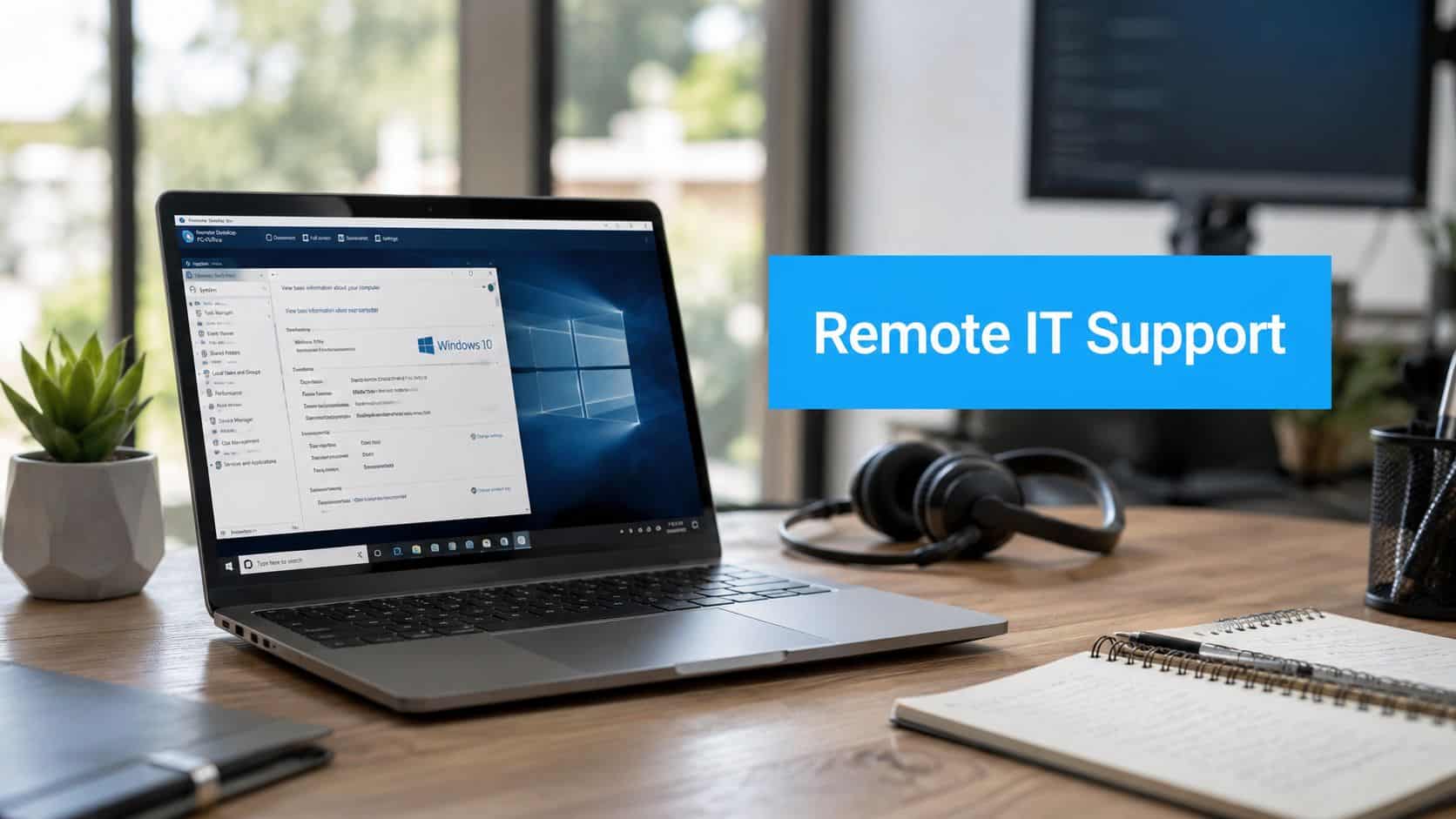
Monday morning, the phones are already ringing, one employee can’t get into a shared drive, another is locked out of email, and a clinic or law office is trying to keep serving clients while the front desk turns into a help line. That’s the world of remote IT support for a small business. If it’s designed properly, one call gets a technician into the problem fast, the issue is logged, and the team keeps working without waiting for someone to drive across town.
Table of Contents
- What Remote IT Support Actually Means for a Business
- Core Services That Come with Remote IT Support
- Security and Compliance Behind the Remote Session
- Where Remote Support Works and Where It Stops
- SLAs, Pricing Models, and Contract Terms That Matter
- Choosing a Remote IT Support Provider in Ottawa and Gatineau
- A 30-Day Plan to Put Remote IT Support in Place
What Remote IT Support Actually Means for a Business
A Tuesday-morning example makes this easy. An employee at a Kanata dental clinic can’t open patient records, the office manager calls the support line, and a technician connects to the workstation remotely while the clinic keeps seeing patients. That’s remote IT support in practice, a service delivery channel that fixes issues, manages devices, and keeps users moving without waiting for a truck roll.
The important distinction is this. Remote support is the access method, while managed IT is the operating model around it. A provider can offer remote help without managing your environment, but a managed service should use remote access as the default way to handle helpdesk, monitoring, patching, and everyday user support. If you blur those two ideas, you’ll compare proposals that are not offering the same thing.
This matters more in Canada than many owners realise. Remote and hybrid work have become a durable operating model, and a regional projection says Canadian employees work from home an average of 1.9 days per week while North America overall is seeing 45% remote or hybrid adoption, with Canada and the U.S. driving that pattern (remote work by industry and region projection). For Ottawa–Gatineau firms, that means support has to cover office endpoints and offsite devices, not just in-building infrastructure.
Practical rule: if a provider only talks about screen-sharing software, they’re describing a tool. If they talk about endpoint coverage, identity support, patching, and escalation paths, they’re describing an operating model.
You’ll also want to think in terms of business outcomes, not software features. A solid remote support setup should reduce time wasted on password resets, stop simple outages from becoming a whole-day disruption, and make sure someone can act when the problem is in Microsoft 365, Google Workspace, or a laptop sitting in someone’s kitchen. That’s why this service sits inside a broader technology stack, it’s the front line for everyday incidents, but it still has to connect cleanly to backup, security, cloud administration, and onsite help when the issue can’t be solved over the internet.
See how technical support is structured for businesses
Core Services That Come with Remote IT Support
A competent provider doesn’t sell “remote support” as one feature. It delivers a layered service stack that matches how a business runs during the day. The first layer is the helpdesk, because most problems start with a user who can’t log in, can’t print, or can’t reach a shared application. The second layer is remote session control, where a technician takes over the device, sees the problem in real time, and works through the issue with the user.
What the service layers should cover
Tier 1 helpdesk should handle phone, email, and ticket intake first, not bury users in a web portal they’ll avoid. That team sorts issues, captures symptoms, and pushes straightforward requests through a standard path. A good provider doesn’t treat every ticket the same. A password reset is a different workflow from a VPN failure or a crashed workstation, and the ticketing process should reflect that.
Monitoring and alerting should run quietly in the background. If a server, endpoint, or cloud service throws a warning, the support team should see it before users start complaining. That’s where proactive service gets its value. You’re not paying only for response, you’re paying for interruption avoided.
Patch management should cover operating systems and third-party applications, because both can create risk. If patches are left to chance, remote workers become softer targets and office systems drift out of sync. Identity and access support matters just as much. Password resets, account lockouts, and MFA issues sound basic, but they’re often the thing that stalls a workday.
The best remote support teams don’t wait for users to describe a problem perfectly. They triage, confirm the failure mode, and move straight to the next decision.
The cloud side is where weak proposals often expose themselves. A serious plan should include administration for Microsoft 365, Google Workspace, hosted email, and cloud backup. If a provider can’t explain who handles tenant changes, mailbox issues, or restore requests, they’re asking you to manage the critical parts yourself. That’s not support, that’s partial outsourcing.
What’s usually bundled, and what isn’t
The monthly plan often bundles helpdesk, monitoring, patching, routine admin, and standard cloud support. Add-ons commonly include major migrations, unusual security projects, new office deployments, and hardware replacement work. Compare quotes with that split in mind, because one proposal may look cheaper only because it excludes the tasks you’re most likely to need.
Security and Compliance Behind the Remote Session
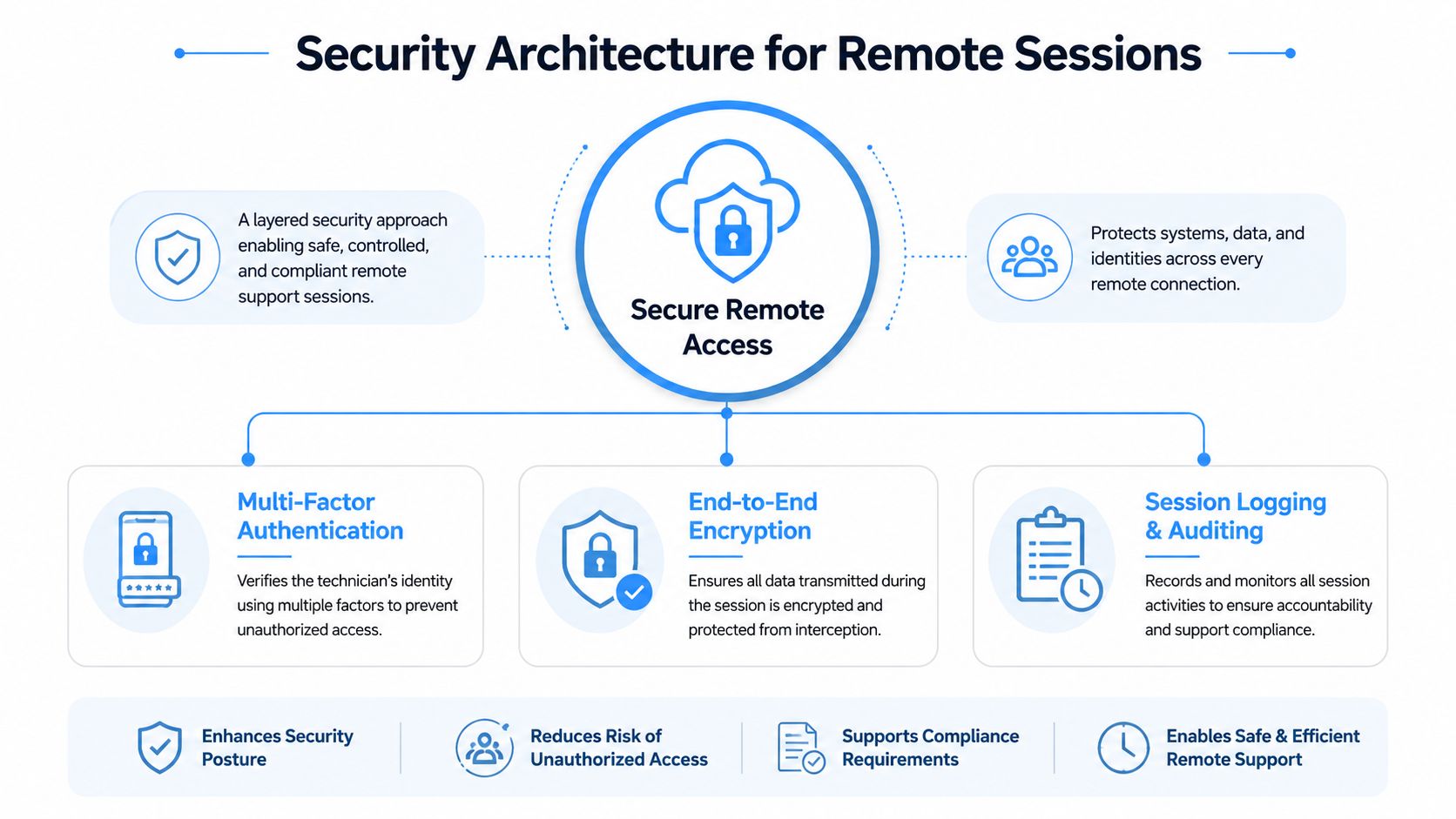
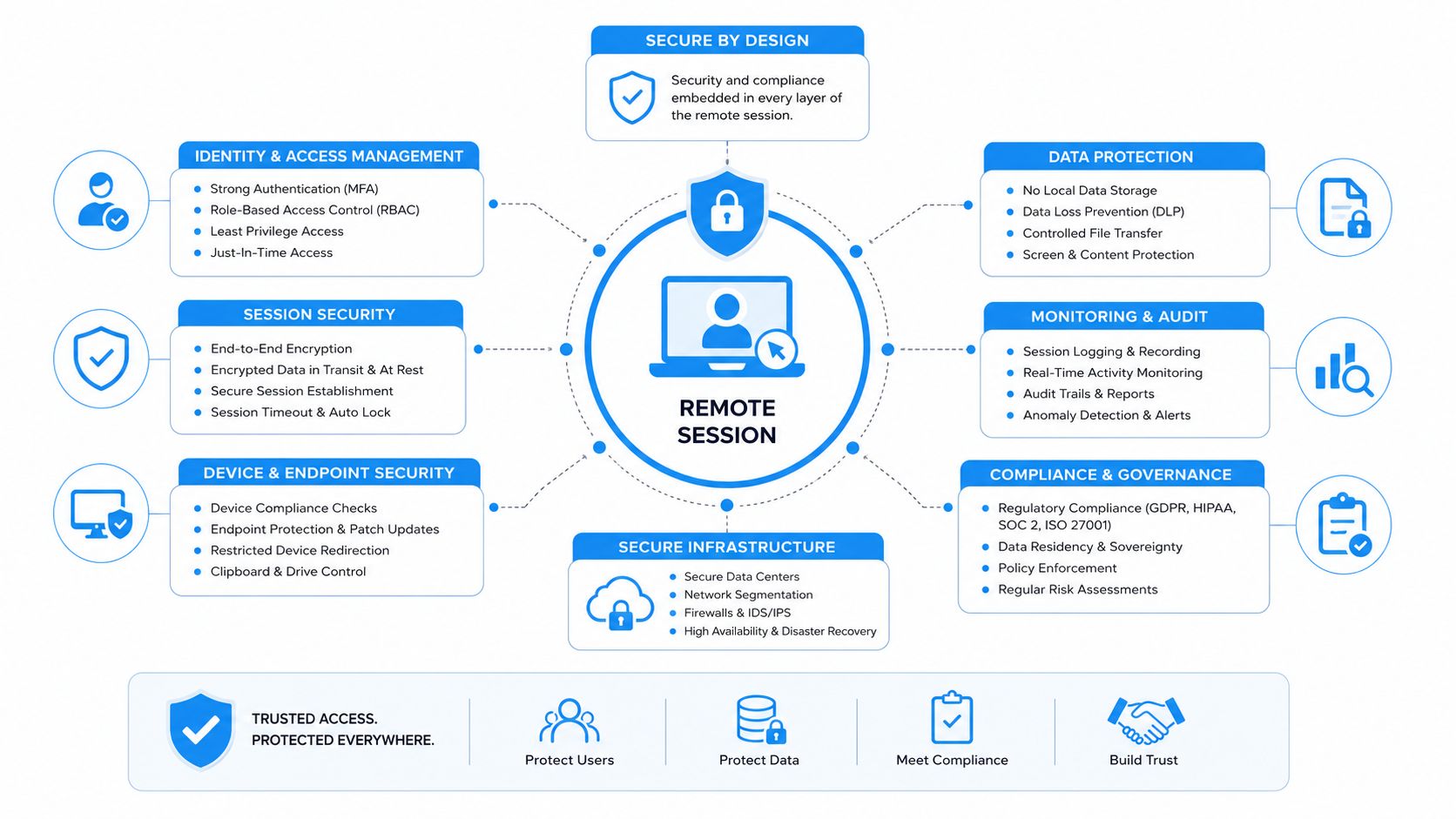
Remote access is useful only if it’s controlled. A technician shouldn’t be able to reach everything by default, and they definitely shouldn’t be using a shared admin login that can’t be traced later. The support stack should use multi-factor authentication, least-privilege access, et session logging so the business knows who touched what, when, and why.
The controls that belong in every session
A technician identity should be verified before the session starts, not after. MFA on the support side is essential. So is least privilege, which limits access to the specific devices or systems needed for the task. If the job is password recovery, that doesn’t justify broad administrative reach across the tenant.
Session logging matters because it gives you an audit trail. If a change causes a side effect later, you need timestamps, exact actions, and a clean record of what happened. Where possible, the session should also require user consent, especially in environments where staff handle sensitive information. That’s not bureaucracy, it’s control.
A strong provider also plans for failures that happen during the support process itself. Remote support depends on stable connectivity, and if the same network that’s broken is also the path used to fix it, the technician can get stuck. That’s why out-of-band escalation paths and documented fallback procedures matter for VPN, identity, and device-lockout problems. If the first remote route fails, the team should already know what the second route is.
In Canada, the compliance angle is real, not theoretical. For federally regulated financial institutions, cyber incidents must be reported to OSFI as soon as possible after detection, and the report must include the date and time detected, the nature of the incident, the systems or data affected, and remediation status (OSFI incident reporting requirements summary). That means your support partner needs incident workflows that can assemble those facts quickly, not scramble for them later.
For healthcare, legal, and dental practices, the practical question is whether the provider can document enough to support privacy and audit requirements without slowing the response. If a ticket touches patient records, financial systems, or case files, the record should show what changed, what was observed, and who approved the action.
Review cybersecurity and security solutions for managed support
Red flags that should end the conversation
- Shared admin accounts that hide technician identity.
- No session logs or recordings for remote changes.
- MFA missing on the technician side.
- No documented fallback when VPN or authentication fails.
If you see those, you’re not buying secure remote support. You’re buying convenience with a weak audit trail.
Where Remote Support Works and Where It Stops
Remote support excels at the kinds of problems that live in software, identity, and configuration. It’s less useful when the fault is physical, local, or locked behind a device that can’t be reached safely. That divide matters because a small business shouldn’t pay for another remote attempt when the answer is a replacement laptop, a cable swap, or an onsite visit.
The incidents remote teams should handle first
Connectivity problems often start with the network path, Wi-Fi, VPN, or a cloud service that’s unreachable from a specific site. Identity issues usually involve passwords, MFA prompts, account lockouts, or permission errors. Endpoint health covers crashes, missing patches, printer glitches, and software that stopped behaving after an update. Application access includes file-share issues, license problems, and sign-in failures across cloud services.
Each category has a different resolution path. A VPN issue may need identity or policy changes. A broken application may need a repair, a reinstall, or a configuration reset. A failing endpoint might be recoverable remotely, or it might be one bad update away from needing replacement.
The limit appears when the problem is physical or security-sensitive. Dead hardware, broken cables, and devices that can’t be accessed safely are not fixed by another video call. That’s where a co-managed model makes sense, remote as the first line, local technicians as the second, with spare parts, redundant connectivity, and out-of-band management filling the gap.
If a support plan has no clean onsite handoff, the business ends up paying twice, once for the delay and again for the emergency response.
Remote-resolvable vs onsite-required scenarios
| Incident Category | Typical Resolution Path | Onsite Needed? |
|---|---|---|
| Password lockout | Reset, reauthentication, verification | Usually no |
| VPN failure | Identity check, policy review, client repair | Sometimes |
| Software crash | Reboot, patch, repair, rollback | Usually no |
| Peripheral failure | Driver check, port test, replacement | Sometimes |
| Dead laptop | Hardware replacement or repair | Yes |
| Broken cable | Physical inspection and swap | Yes |
| Locked device with security restrictions | Out-of-band recovery or local intervention | Often yes |
For Ottawa–Gatineau SMBs, this is the right mental model. Don’t ask whether remote support can solve most tickets. Ask which tickets still require a person on site, and how quickly that handoff happens. The provider you want has already built that answer into their process.
SLAs, Pricing Models, and Contract Terms That Matter
A remote support proposal should read like an operating agreement, not a glossy brochure. Start with the service-level agreement, because that’s where a provider shows whether they’ve thought through real service delivery. Then compare pricing, exclusions, and exit terms with a sharp eye. Owners often lose negotiating power here.
What a usable SLA actually says
At minimum, the SLA should define response times by severity, resolution targets, escalation paths, and what happens when the provider misses the target. If monitored systems are included, uptime commitments should be written clearly. Vague language helps the vendor and hurts you.
Pricing usually falls into per user or per device models. The right model depends on how your business works. A device-based model can make sense in a stable office environment, while a user-based model may fit firms where people use multiple endpoints or move between locations. After-hours coverage, endpoint count, cloud subscriptions, and bundled cybersecurity tools all affect the number, so compare quotes only after you’ve confirmed what’s included.
A contract can hide the expensive part in the fine print. Watch for auto-renewal clauses, exit costs, exclusions for legacy hardware, and loose wording around what counts as a billable project versus a covered ticket. If the proposal says “support included” but the statement of work is silent on migrations, after-hours calls, or cloud tenancy changes, assume those will be charged separately.
Questions that cut through the sales pitch
- Response times: What happens by severity, not just in general terms?
- Missed SLA: Is there a credit, a review, or just an apology?
- Coverage scope: Which systems are monitored, and which are not?
- Billable work: What turns a ticket into a project?
- Exit terms: How do you leave without getting trapped by handover costs?
The remote support market is already at scale, with one market estimate valuing it at USD 12.8 billion in 2024 and projecting growth to USD 25.4 billion by 2031 at a 9.3% CAGR (remote support market estimate). That doesn’t mean you should buy more than you need. It means the service has become standard infrastructure, and the contract should reflect that maturity.
Choosing a Remote IT Support Provider in Ottawa and Gatineau
Local fit matters more than most owners expect. A provider can have decent tools and still be a poor match if they don’t understand bilingual support, regulated clinics, or how quickly offices across Ottawa, Gatineau, and the Outaouais need issues resolved. You’re not just buying ticket handling. You’re buying a team that can work inside your environment without creating new friction.
What to ask before you sign
Start with language support. If your staff uses English and Canadian French, the service desk should be able to work in both without making people wait for a callback or forcing awkward workarounds. Then ask how incidents are triaged after hours, where technicians are located, and how evidence is captured for audits. Those answers tell you whether the provider is ready for real operations.
For healthcare, legal, and dental businesses, ask how they handle privacy-sensitive incidents and whether they can document actions in a way that supports your internal records. For multi-location retail or professional services firms, ask how they manage support across sites without turning every issue into a dispatch problem. If the answer is mostly vague reassurance, keep looking.
A good complimentary assessment should produce an inventory of users, devices, cloud services, and obvious risk points. A weak one sounds like a sales pitch and ends with generic recommendations you could have guessed yourself. You want someone who notices operational details, not just someone who knows how to talk about them.
The best early signal is specificity. If the provider can explain your current gaps without hand-waving, they’ll probably handle your tickets the same way.
If you want a benchmark for what a managed services relationship should include, review managed IT services in Ottawa–Gatineau and compare that against any remote-only proposal you’re considering. A remote plan can be enough for some environments, but many businesses need the broader operational wrapper around it.
Disqualifiers you should take seriously
- No bilingual support path for staff who need it.
- No clear audit evidence for sensitive incidents.
- Weak local reach for offices outside the main city core.
- Sales answers that avoid the exact scope of coverage.
If a provider can’t clear those bars, they’re not ready for a business that depends on support being there when people are working, not when it’s convenient.
A 30-Day Plan to Put Remote IT Support in Place
Start with a complimentary environment assessment in week one. Inventory endpoints, users, cloud services, and the obvious points of failure. If the provider can’t map what you own and what you depend on, they’re not ready to support it.
In week two, set up identity access, enrol staff in MFA, document networks and credentials, and define escalation paths for lockouts, outages, and device failures. That paperwork sounds dull, but it’s what keeps a simple ticket from turning into a half-day mess. This is also the right time to tell staff how to use the helpdesk instead of working around it.
Week three should be a pilot, ideally one site or one department. Use it to test response quality, ticket clarity, and whether the support team can solve the incidents you see most often. Week four is for metrics, first-contact resolution, mean time to resolution, ticket volume by category, and user satisfaction. If the numbers or the experience are weak, adjust the service before full rollout.
The goal is simple. Put the process in place, prove it with a small rollout, then scale only after the support team has shown it can handle your real environment.
IT Experts Canada provides managed IT services, remote and onsite technical support, cybersecurity, cloud, backup, and telecom support for Ottawa–Gatineau businesses. If you want a provider that can assess your environment, set up a remote support structure, and handle the handoff between remote and onsite work, visit IT Experts Canada and ask for a practical review of your current setup.
0 Comments