

Your team is trying to work. A file server slows to a crawl, email starts bouncing, the printer drops off the network again, and someone asks whether that strange login prompt is “normal”. You call whoever fixed things last time, wait for a callback, and hope the invoice doesn't hurt more than the outage.
That cycle is expensive, but not just in repair bills. It drains staff time, rattles customer confidence, and turns every growth decision into a technology gamble. For Canadian small and mid-sized businesses, the stakes are even higher because uptime, security, data residency, and bilingual support all affect day-to-day operations in very practical ways.
If you're looking at IT managed service providers, don't treat the decision like buying a cheaper help desk. Treat it like choosing the firm that will help protect margin, reduce disruption, and keep your business from making avoidable mistakes.
Table of Contents
- The End of IT Chaos
- What Are IT Managed Service Providers
- The Core Services an MSP Delivers
- Understanding MSP Pricing Models and SLAs
- How to Evaluate and Select the Right Local MSP
- The IT Experts Canada Advantage for Local Businesses
- Your Partner in Proactive Growth
The End of IT Chaos
Martin runs a growing professional services firm. He doesn't want to think about switches, backups, Microsoft 365 admin panels, or firewall alerts. He wants his team billing clients, answering calls, and moving work forward. Instead, he keeps paying for interruptions.
One month it's a failed workstation. The next month it's a Wi-Fi issue that knocks out half the office. Then a staff member clicks something they shouldn't have, and now everyone is asking whether customer files were exposed. Nothing feels connected, but it is. That's what reactive IT does. It breaks your day into fragments and bills you for each fragment.
The old break-fix model trains you to accept instability. You wait until something fails, then you pay to repair it. That's like waiting for the roof to leak before you inspect the building. It feels cheaper in quiet months, then punishes you when your business can least afford distraction.
Practical rule: If your IT only gets attention when people are already angry, you don't have a strategy. You have a recurring interruption.
Business owners often describe IT as a cost centre because they've only experienced it as emergency spending. That's the wrong frame. Stable systems protect revenue. Secure systems protect reputation. Fast support protects staff productivity. Reliable infrastructure gives you room to open another location, onboard people faster, and take on more clients without crossing your fingers.
The shift that matters isn't technical. It's operational.
Instead of hiring a firefighter every time smoke appears, you put a prevention system in place. You move from random fixes to managed standards. You stop asking, “Who can fix this today?” and start asking, “Who is accountable for keeping this from happening again?”
That's where IT managed service providers earn their keep. Their value isn't that they know more about technology. It's that they make your business less fragile.
What Are IT Managed Service Providers
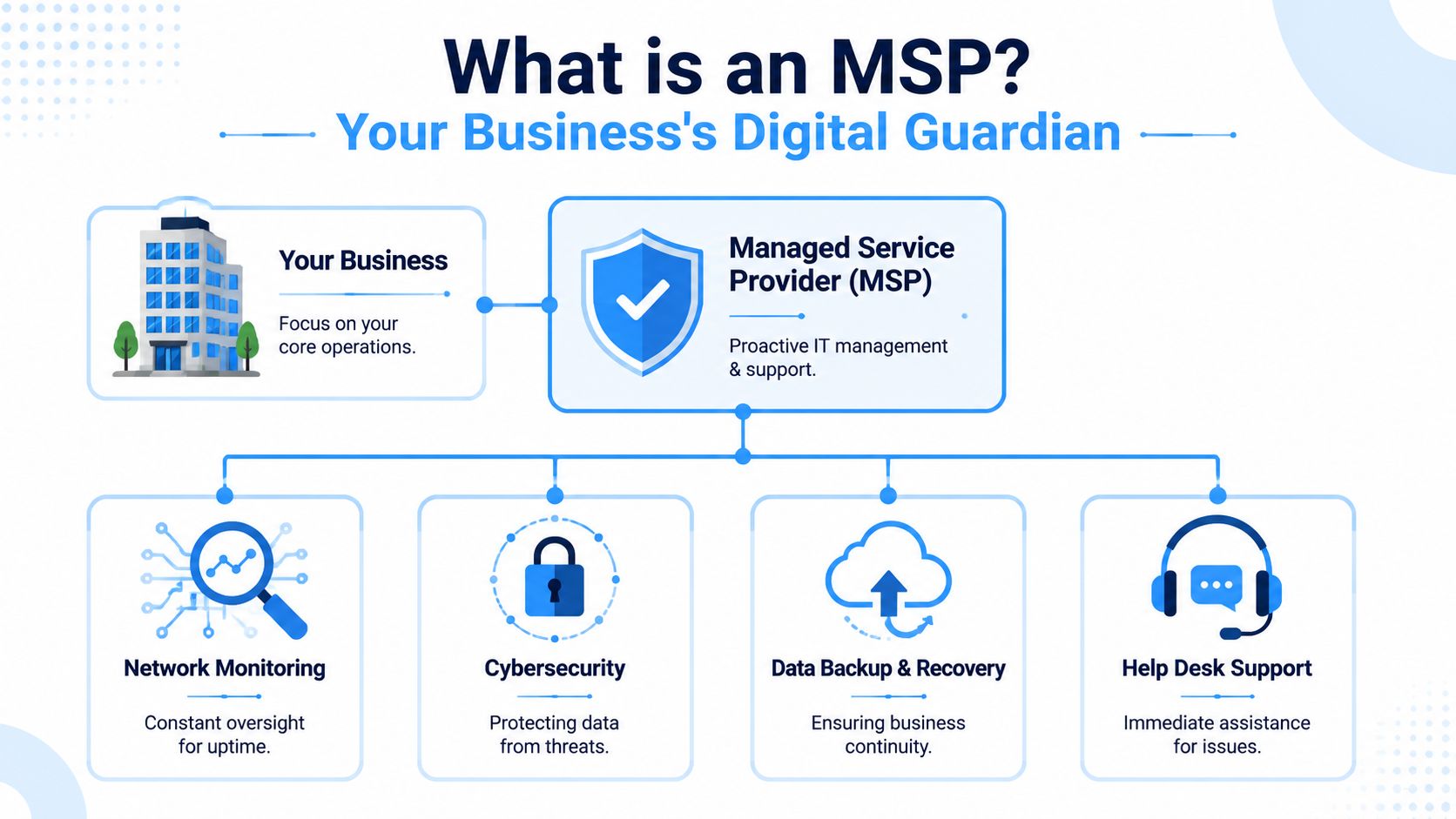
An IT managed service provider is a company you hire to take ongoing responsibility for your technology environment. That usually includes devices, servers, networks, support, security, backups, and cloud systems. The important part is ongoing responsibility. Not occasional rescue. Not one-off projects. Ongoing management.
The easiest way to understand it is this: an MSP is like a property manager for your business technology.
You wouldn't run a commercial building by calling one contractor for plumbing, another for wiring, and a third only after the front door lock fails. You'd want one accountable firm overseeing the whole property, spotting issues early, coordinating repairs, and keeping critical systems working. An MSP does that for your digital estate.
The difference from break-fix support
Break-fix support gets paid when things go wrong. A managed provider gets paid to keep things running properly. That changes the incentive structure in your favour.
With break-fix, nobody is consistently watching patch status, failed backups, device health, suspicious sign-ins, or network performance unless you complain first. With an MSP, those checks become part of the service. The goal is fewer surprises, not faster apologies.
Here's the practical difference:
| Model | What triggers action | Business result |
|---|---|---|
| Break-fix | Something fails | Downtime first, response second |
| Managed services | Ongoing monitoring and scheduled maintenance | Fewer incidents and more predictable operations |
Why more businesses are moving this way
This isn't a niche buying pattern anymore. The Canada managed services market expanded from USD 8,182.22 million in 2018 to USD 17,304.83 million in 2024, and is projected to reach USD 44,994.07 million by 2032. That growth reflects a simple reality. Businesses need scalable IT support, and they can't afford to run on improvisation.
A good MSP isn't just fixing laptops. They're protecting workflow, client confidence, and management attention.
For Canadian SMBs, that matters even more when you're balancing lean budgets with real compliance obligations. You may not need an in-house team for every speciality, but you do need someone accountable for the full picture. That's what a managed relationship is supposed to deliver.
The Core Services an MSP Delivers
If a provider only talks about tickets and devices, they're underselling the job. A proper MSP should tie every service to an operational outcome. Less downtime. Fewer security surprises. Faster employee support. Cleaner planning.
In the Ottawa-Gatineau market, cybersecurity isn't a side item. 35% of MSP revenue is derived from cybersecurity services, with another 30% from IT consulting. That tells you how local businesses are buying. They want protection and integration, not just password resets.
Support that keeps staff productive
Help desk support is the visible part of managed services. Staff call, email, or open a ticket when they can't access a file, print, log in, or use a business app. Good support resolves the issue. Better support also spots the pattern behind the issue.
If five employees keep hitting the same Microsoft 365 sync problem, the answer isn't five separate fixes. The answer is to correct the underlying configuration and stop wasting staff time.
A useful support function should cover:
- Daily user issues: Login trouble, software errors, email problems, and device setup.
- Onboarding and changes: New user access, mailbox setup, laptop preparation, and permissions updates.
- Escalation paths: Clear handling when the problem touches line-of-business apps, security controls, or vendor coordination.
Monitoring that catches trouble early
Monitoring is one of those terms vendors throw around until it means nothing. In business terms, it means someone is watching for warning signs before your team feels them.
That includes server capacity, failed backups, device health, internet performance, patch status, and suspicious behaviour. If you want a concrete example of what that operational layer looks like, review a systems and network monitoring approach for SMB environments.
If your provider only learns about outages from your receptionist, they aren't managing your environment. They're waiting in line behind your staff.
Cybersecurity that protects trust
Cybersecurity is now woven into managed services because every small business stores something worth targeting. Client records. Financial data. Staff credentials. Vendor access. Even a basic compromise can lock up operations and trigger hard conversations with customers.
Look for layered protection, not a single tool. That usually means endpoint protection, firewall oversight, web filtering, patching, account security, and active attention to alerts. For healthcare clinics, legal offices, and firms handling sensitive records, this isn't optional. It's part of staying operational and credible.
Cloud backup recovery and connectivity
Your MSP should also manage the systems that keep work moving even when something goes wrong.
That includes:
- Cloud platforms: Microsoft 365, Google Workspace, hosted email, cloud desktops, and file collaboration tools.
- Backup and recovery: Not just storing copies, but having clear restore procedures and testing whether recovery works.
- Telecom and connectivity: Internet service coordination, business voice systems, and the vendor management that prevents finger-pointing when lines go down.
These services matter because outages rarely arrive politely. A failed laptop, a corrupted mailbox, and an internet issue can hit the same day. When one provider owns the bigger picture, your business wastes less time juggling excuses from five different vendors.
Understanding MSP Pricing Models and SLAs
Most business owners don't struggle with the idea of paying for support. They struggle with not knowing what the bill will become. That's why pricing model matters. It shapes predictability, not just cost.
In the Ottawa market, fully managed solutions are approximately $180 per user per month, covering 24/7 monitoring and support, and that model has replaced traditional break-fix rates of $150 to $250 per hour. That tells you exactly why managed services appeal to SMBs. You're swapping surprise invoices for a more stable operating expense.
How pricing models affect your budget
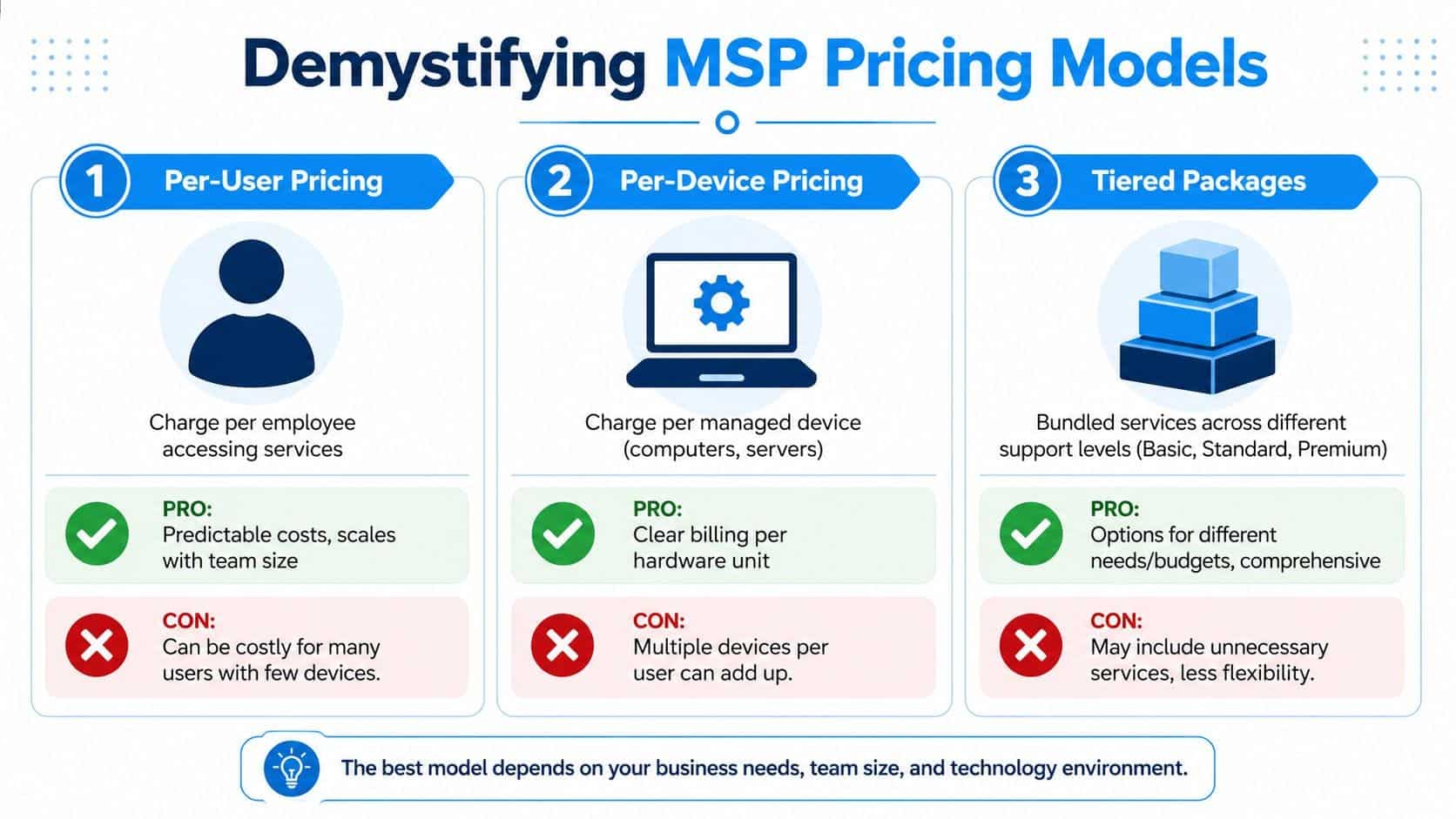
Three models show up most often.
| Pricing model | Best fit | Watch for |
|---|---|---|
| Per-user | Teams where each employee uses several devices and cloud tools | Make sure support scope is clearly defined |
| Per-device | Environments with shared workstations, specialised hardware, or limited users | Bills can climb if each person uses multiple devices |
| Tiered packages | Companies that want bundled support levels | Some bundles include services you may not need |
Per-user pricing is usually easiest for planning because headcount is a familiar business metric. If you add staff, your IT cost rises in a predictable way. Per-device can make sense in warehouse, retail, or kiosk-style environments where the device count matters more than named users. Tiered packages work if the provider is honest about what's in each level and where exceptions start.
If you want a plain-language view of common cost structures, compare a provider's published managed IT pricing guidance in Canada. The value isn't just the figures. It's seeing whether the provider explains the billing drivers clearly.
Why the SLA matters more than the brochure
The service level agreement, or SLA, is where the specifics are detailed. Marketing pages promise support. The SLA defines what support means when your office is down on a Tuesday morning.
Read it closely. You want response commitments, service scope, escalation paths, coverage hours, exclusions, and responsibilities on both sides. A cheap contract with vague language is usually expensive later.
Check these points before signing:
- Response expectations: How quickly do they respond to critical issues versus minor requests?
- Coverage clarity: Is after-hours support included for true emergencies?
- Security responsibilities: Who manages patching, endpoint protection, alerts, and backups?
- Onsite support terms: What requires a visit, and what triggers extra charges?
A weak SLA is like insurance that sounds good until you file a claim. Don't buy on price alone.
How to Evaluate and Select the Right Local MSP
Choosing among IT managed service providers gets easier when you stop listening for polished sales language and start testing operational reality. You're not hiring a slogan. You're hiring accountability.
The most overlooked issue for Canadian SMBs is data sovereignty. Many providers still talk about cloud convenience without clearly addressing where your data lives, who legally controls it, and what happens if infrastructure sits outside Canada. That's a mistake, especially for healthcare, legal, and professional services firms.
Early in the process, ask for direct answers on ownership and residency. Cyber.gc.ca guidance says organisations must contractually retain legal ownership of tenant data and verify infrastructure location, and 42% of Canadian SMBs now request data residency guarantees. If a provider gets vague here, walk away.
Questions you should ask before signing
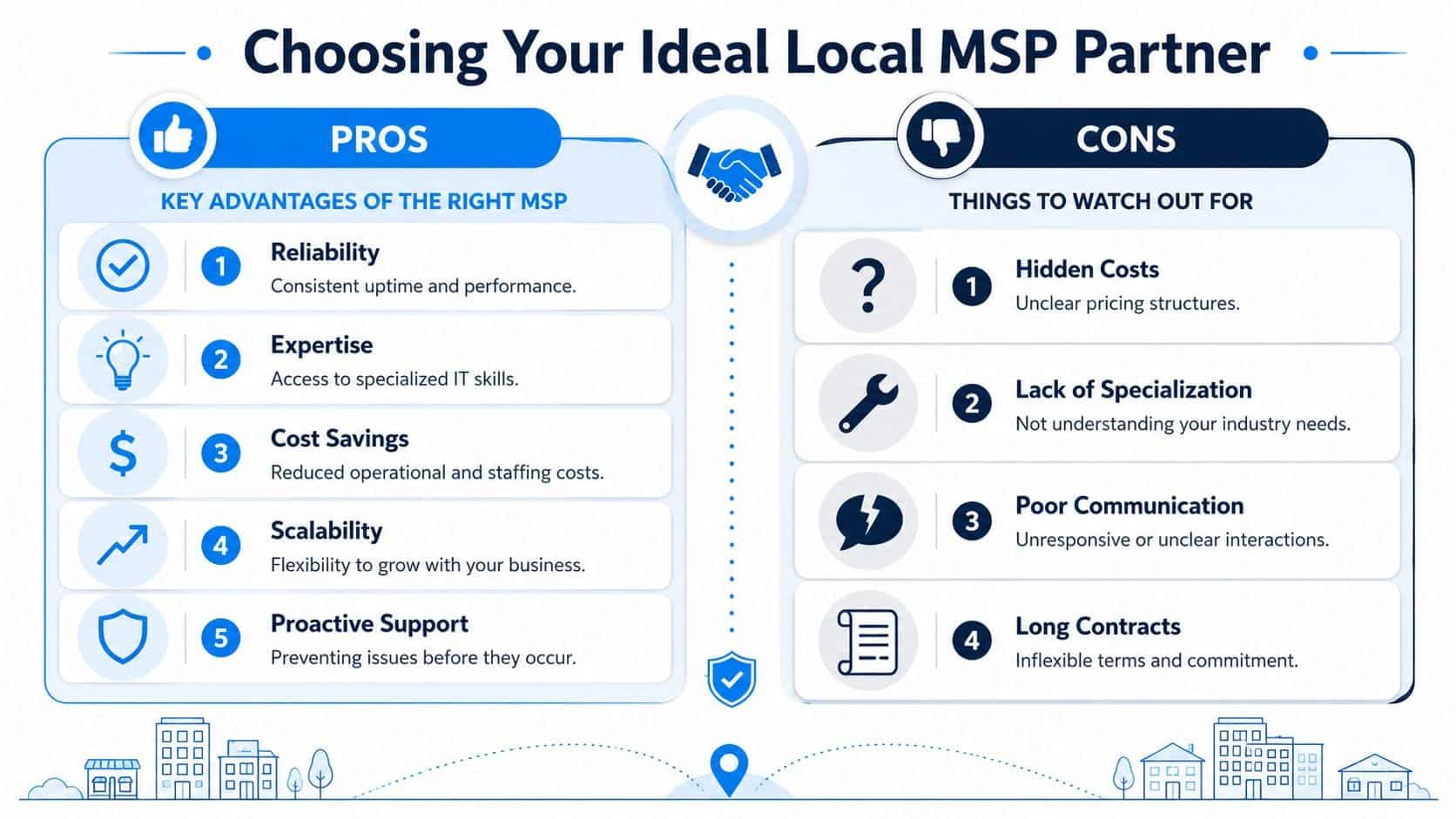
Don't ask whether they “offer great support”. Every provider says yes. Ask questions that force specifics.
- Who owns our tenant data contractually? If they can't answer cleanly, they haven't thought it through.
- Where is the infrastructure located? You need a direct answer, not a vague reference to “the cloud”.
- How do you handle onboarding? Good providers have a process for documentation, standards, access review, and risk discovery.
- What do you monitor proactively? You want a list, not a buzzword.
- How do you support both remote and onsite needs? Some issues still require hands-on work.
- Can your team support English and French users? In Ottawa-Gatineau, that's not a nice extra. It's operationally useful.
One more practical resource is worth reviewing before you shortlist anyone:
Red flags that should stop the deal
Some warning signs are obvious. Others hide behind polished proposals.
Don't confuse technical jargon with technical discipline. A provider should be able to explain risk in plain business language.
Watch for these:
- Vague contracts: If support scope, exclusions, and response times are fuzzy, expect conflict later.
- No local footing: Remote support is useful, but a provider serving Ottawa-Gatineau should have a credible local presence for onsite issues.
- Weak security ownership: If they split security into too many “optional extras”, you may end up with gaps nobody owns.
- No residency discussion: This is a major concern for regulated businesses and should come up early, not after paperwork starts.
- Poor communication style: If sales is hard to reach, support won't magically become responsive after signature.
Why local and bilingual capability matters
A local MSP isn't automatically better, but local context matters. Ottawa-Gatineau businesses often deal with mixed user bases, bilingual communication needs, and clients who care where information is stored. A provider that understands that environment will ask better questions and design support with fewer blind spots.
That's what you want. Less theatre. More operational fit.
The IT Experts Canada Advantage for Local Businesses
If you apply the criteria above, one practical fit for Ottawa-Gatineau SMBs is a provider that combines local service, ongoing monitoring, clear pricing structure, and bilingual accessibility. That combination is rarer than it should be.

What local businesses should expect
A regional business shouldn't have to choose between remote efficiency and onsite practicality. It should get both. It should also get service that reflects how the region works, including English and French user support and straightforward guidance for cloud, security, and telecom decisions.
That's where a provider with a defined local operating model stands out. IT Experts Canada's service and pricing guidance outlines per-user and per-device cost models, plus 24/7 assistance and proactive monitoring designed to reduce unplanned downtime for SMBs. That's the kind of structure owners need when they're trying to budget responsibly without underbuying protection.
If you want to understand how a provider presents its operating approach, team context, and service mindset, review the company background and local service profile.
Where the fit is strongest
The strongest fit tends to be businesses that can't justify building broad internal IT coverage but still need dependable execution. That includes clinics, professional services firms, retail operations, multi-site businesses, and growing companies standardising Microsoft 365, cloud backup, endpoint protection, and support workflows.
What matters isn't hype. It's fit.
A suitable MSP for this market should bring:
- Transparent structure: Clear service plans and pricing logic.
- Regional practicality: Support for remote users and onsite realities.
- Bilingual accessibility: Useful for mixed-language workplaces and client-facing teams.
- Preventative posture: Monitoring and maintenance aimed at reducing disruption, not reacting after the damage is done.
That's the standard local businesses should hold any provider to.
Your Partner in Proactive Growth
The businesses that get the most value from managed services stop treating IT like a repair problem. They treat it as operating infrastructure, just like finance, facilities, or customer service. That shift changes the questions they ask and the partners they choose.
The right MSP helps you protect productive hours, reduce avoidable interruptions, support staff properly, and make technology decisions with more confidence. That matters when you're opening a new location, moving systems to Microsoft 365, tightening cybersecurity, or trying to keep a lean team focused on real work instead of recurring annoyances.
For Canadian SMBs, the standard should be higher. You need stability. You need security. You need clear pricing. You need a provider that understands local realities, including data sovereignty and bilingual support where it matters.
Choose the MSP that acts like an operator, not a rescuer. The rescuer shows up after the mess. The operator helps you avoid the mess in the first place.
If your business is tired of reactive IT and wants a more stable, secure, and predictable operating model, talk to IT Experts Canada. They provide managed IT support, cybersecurity, cloud services, telecom guidance, and 24/7 assistance for Ottawa-Gatineau organisations that need practical help, not more disruption.
0 Comments