

You're probably doing this search because something already feels off. Staff are complaining about slow systems. Microsoft 365 issues keep bouncing around the office. Backups exist, but no one seems completely sure they'd restore cleanly. Or maybe a ransomware headline hit a little too close to home because you handle client records, patient files, or federal contract data.
That's usually when owners type MSP near me and hope the nearest provider is also the right one. Sometimes that works. Often, it doesn't. In Ottawa and Gatineau, picking an MSP isn't just about getting someone local who can reset passwords and fix printers. It's about finding a partner who understands business continuity, regulated data, bilingual teams, cloud sprawl, and the reality that one bad IT decision can follow your company for years.
Table of Contents
- Why Your MSP Near Me Search Matters More Than You Think
- First, Map Your Own IT Needs and Goals
- The Ultimate Vetting Checklist for Ottawa MSPs
- Decoding MSP Pricing Models and Costs
- Red Flags to Spot and Local Providers to Consider
- Your Next Step to Securing Reliable IT Support
Why Your MSP Near Me Search Matters More Than You Think
A server locks up at 10:15 on a Tuesday. Staff can't access shared files. Your cloud apps are half-working. Customers are waiting, your team is improvising, and no one can tell you whether this is a hardware problem, a security event, or both.
That isn't an IT inconvenience. It's a business interruption.

Downtime hits harder than most owners expect
For small and mid-sized businesses in Canada, unplanned downtime costs an average of $8,500 per hour, and cyber incidents account for 34% of all downtime events in the Ottawa–Gatineau region, according to a 2025 Industry Canada survey on SMB IT resilience cited by Firewall Technical's summary of SMB downtime and cyber risk.
That's the part many owners miss when they search for an MSP near me. They compare providers as if they're buying office supplies. They look at who answers the phone first, who has the cheapest monthly rate, or who promises “full service” without defining it. That's backwards. You're not buying support hours. You're buying fewer bad days.
A good MSP reduces the odds that your team loses a morning to failed logins, unstable Wi-Fi, corrupted backups, or a preventable security incident. A weak MSP turns every issue into a ticket queue and every ticket into a delay.
Practical rule: If a provider can't explain how they prevent downtime, they're probably built to react to it, not manage it.
Local context changes the decision
Ottawa businesses have a few realities that generic IT advice ignores. Federal contractors need disciplined data handling. Healthcare and dental clinics can't shrug off system outages or sloppy backup routines. Professional firms need secure remote access that doesn't punish users. Multi-site businesses across Ottawa and Gatineau need stable networking, clear escalation, and someone who can work across both operational and language requirements.
That's why local fit matters. You want a provider that understands the region, can support onsite when needed, and has a mature process for everyday issues before they become expensive ones. You also want to know who you're dealing with. A quick review of an MSP's company background and local service approach tells you more than a polished sales deck ever will.
Searching for MSP near me should lead to a shortlist. It shouldn't lead to a rushed contract. The smart move is to treat this as risk management, not tech shopping.
First, Map Your Own IT Needs and Goals
Most businesses start the search too early. They haven't defined what they need, so every MSP proposal sounds plausible. That's how companies end up paying for the wrong stack, the wrong support model, or the wrong service scope.
Before you compare providers, get your own house in order.

Start with what you already have
You don't need a perfect inventory, but you do need a working one. List your laptops, desktops, servers, Wi-Fi equipment, firewalls, cloud platforms, business apps, phone systems, and backup tools. If your team uses Microsoft 365, Google Workspace, cloud desktops, or line-of-business software, write that down too.
Then get honest about recurring pain. Look for patterns, not isolated complaints.
- Frequent login issues: Staff shouldn't lose time fighting access problems every week.
- Slow shared files or unstable internet: That points to network, storage, or connectivity problems.
- Random support arrangements: If one vendor handles phones, another handles backups, and one internal power user handles the rest, accountability is already broken.
- Backup uncertainty: If no one can tell you when data was last restored successfully, that's a real problem.
Define what good support should look like
A lot of owners say they want “better IT.” That's too vague to buy against. Be specific. Do you need same-day support for normal issues, or immediate triage for anything that stops operations? Do you need after-hours coverage because your team works early, late, or across time zones? Do you need onsite help, or is remote support enough most of the time?
Write down the support expectations that matter to your business:
Business hours reality
Match support coverage to when your staff work, not when a vendor says they're open.Critical system dependence
If your phones, scheduling, billing, or patient systems go down, how fast do you need action?User experience
Your team needs support that's understandable, organised, and not hostile to non-technical staff.
If you can't explain your required support experience in plain language, you can't judge whether an MSP is offering it.
Account for compliance and business direction
Ottawa-Gatineau businesses often carry obligations that affect IT design. A healthcare clinic, legal office, accounting firm, or business serving public sector clients doesn't have the same tolerance for loose access controls or improvised data storage. If you deal with sensitive records, remote staff, mobile devices, or shared office environments, your MSP needs to build around that.
Also look forward. If you plan to open another location, move more workloads to the cloud, standardise on Microsoft 365, replace aging servers, or tighten cybersecurity, the MSP should support that path. Good providers don't just inherit your mess. They help you simplify it.
Use this internal checklist before your first vendor call:
- Current infrastructure: Document what's in place now, including old systems everyone has learned to ignore.
- Security concerns: Note where sensitive data lives, who accesses it, and what would hurt most if compromised.
- Future goals: Include expansion, cloud adoption, office moves, mergers, or software rollouts.
- Budget allocation: Know your current IT spend and where waste likely exists.
- Support requirements: Decide what response quality your staff and customers need.
That prep work changes the whole conversation. Instead of asking, “What do you offer?” you can ask, “How would you handle this environment, these risks, and these business goals?”
The Ultimate Vetting Checklist for Ottawa MSPs
Your server drops at 10:12 a.m. Staff cannot access files. A federal contract deadline is due that afternoon. The MSP answers with a ticket number and no firm timeline. That is the moment you find out whether your "msp near me" search produced a real partner or a polished website.
Ottawa-Gatineau businesses have less room for error than generic MSP checklists admit. Federal subcontractors, healthcare practices, legal offices, and firms with bilingual teams often need stronger access control, cleaner documentation, and faster onsite support across Ottawa and Gatineau. Judge providers on how they operate under pressure, not how they market themselves.
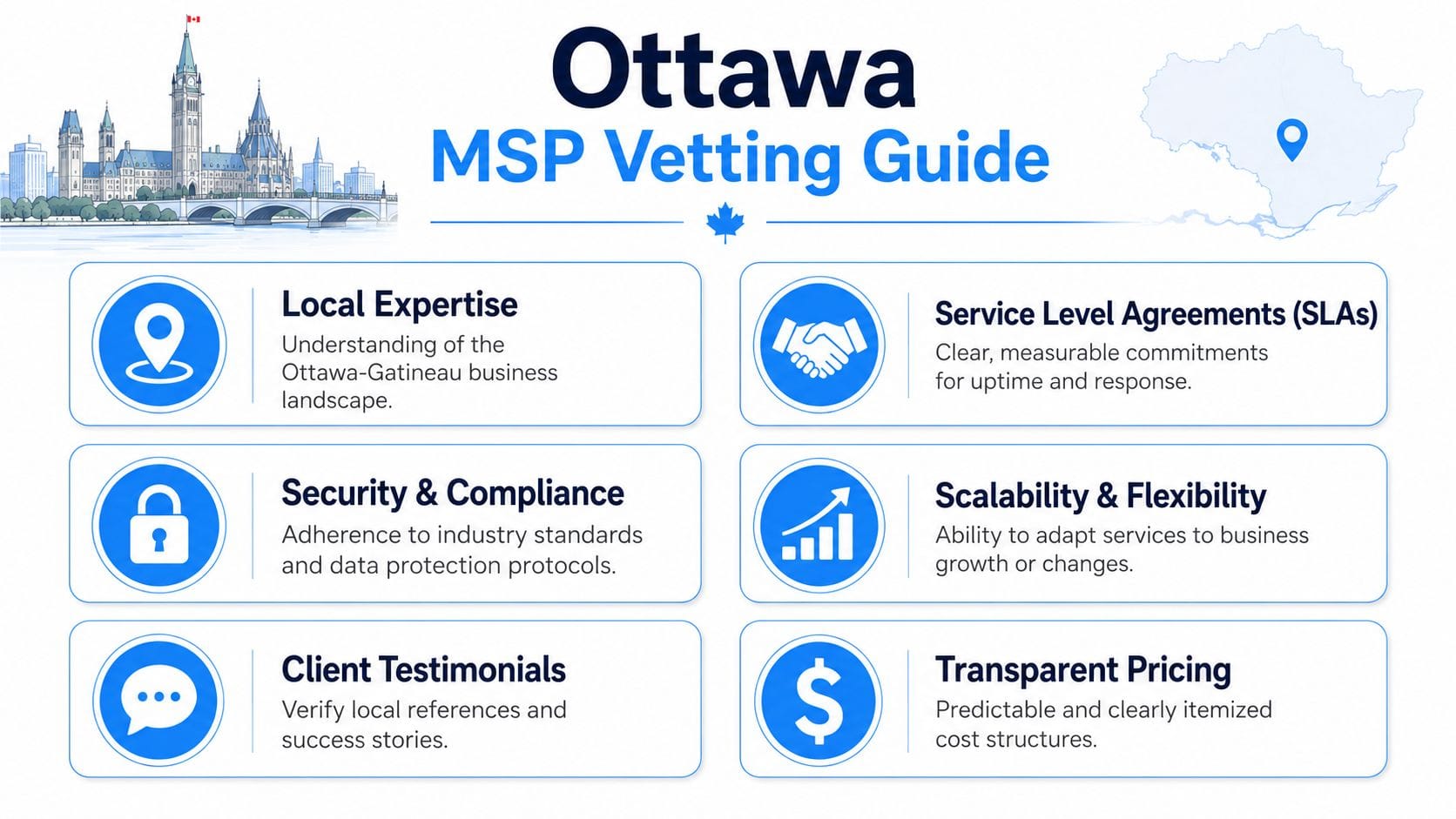
Support and response standards
Slow support costs money fast. Gartner notes in its 2023 research on managed workplace services and SLA performance that missed service expectations are a common source of client frustration with MSP relationships. For local context, Happier IT's review of MSP quality expectations for Canadian businesses points to providers competing on very fast response targets, including sub-5-minute acknowledgement for critical issues and near-term resolution goals.
Do not accept vague language here.
Ask these questions and wait for precise answers:
What is your guaranteed first-response time for a Priority 1 incident, and how is Priority 1 defined in the contract?
Who answers after hours, on weekends, and on statutory holidays in Ontario and Quebec?
Can you dispatch onsite support in Ottawa or Gatineau if remote access fails or a network closet needs hands-on work?
How do you escalate a Microsoft 365 outage, line-of-business app failure, or internet circuit issue?
The right MSP will show you severity levels, escalation paths, and named communication standards. If you hear "best effort," "usually," or "it depends," keep looking.
Security and compliance discipline
A serious MSP builds security into daily operations. That means endpoint detection, firewall oversight, identity controls, backup verification, logging, patching, and incident response procedures that staff can follow. Security sold as an add-on usually gets postponed until after a breach, an audit failure, or a cyber insurance questionnaire exposes the gap.
That matters more in Ottawa-Gatineau. A medical clinic handling patient records, a law office managing confidential files, or a contractor touching federal systems needs tighter controls than a basic antivirus bundle. Ask how the provider handles MFA enforcement, device compliance, privileged access, retention, and remote work for staff crossing between Ontario and Quebec. Review how they present managed security services for Ottawa businesses before you sign.
One blunt rule: if an MSP cannot explain its security stack in plain language, it probably cannot defend it under pressure.
Proactive planning instead of ticket chasing
A reliable MSP does not spend the whole relationship reacting to tickets. It standardises systems, documents the environment, replaces aging hardware on schedule, and gives you a plan you can budget against.
Ask to see proof of process, not a sales deck.
Use this vetting frame:
- Quarterly business reviews: Do they review risk, licensing, warranty status, cloud sprawl, and upcoming projects?
- Documentation standards: Can another technician step in quickly with current diagrams, admin records, and vendor contacts?
- Patch and change control: How are updates approved, tested, and tracked?
- Asset lifecycle planning: Do they recommend replacements before warranty expiry and failure risk become your problem?
- Reporting quality: Do reports explain trends and actions, or just dump alert counts into a PDF nobody reads?
Weak MSPs are revealed. If all you hear about is help desk volume, they are running a support queue, not managing your business systems.
Commercial reality and contract clarity
A contract tells you what the sales call avoided. Read the scope, exclusions, onboarding terms, reporting obligations, tool ownership, termination notice, and offboarding process. If the provider gets defensive when you ask who owns the Microsoft 365 tenant, backup data, firewall configs, or admin credentials, stop there.
Check references with discipline. Ask for Ottawa-area clients that match your size and risk profile. A provider that supports a 5-person retail office may still be a poor fit for a bilingual professional firm, a clinic, or a company bidding on public sector work.
Use a simple scorecard before you choose:
| Vetting Area | What Good Looks Like | What Should Worry You |
|---|---|---|
| Support | Written SLA, firm severity levels, Ottawa-Gatineau onsite capability | Soft promises, no local dispatch detail |
| Security | Daily security operations built into service scope | Security sold separately or explained poorly |
| Planning | Quarterly reviews, current documentation, replacement roadmap | Reactive ticket handling only |
| Contract | Clear scope, exclusions, ownership, exit terms | Lock-in, unclear tooling rights, murky offboarding |
A capable MSP will respect hard questions. That is a good sign. The wrong one will try to rush you past them.
Decoding MSP Pricing Models and Costs
Here is the mistake I see all the time in Ottawa. A business owner compares two MSP quotes, picks the lower monthly number, then spends the next year paying extra for after-hours work, security add-ons, tenant cleanup, and projects that should have been covered from day one.
Price matters. Billing structure matters almost as much.
For Ottawa-Gatineau businesses, especially federal contractors, healthcare clinics, legal firms, and regulated professional offices, the essential question is simple. What work is included every month, and what gets pushed into a separate invoice? The answer decides whether your IT budget stays predictable or turns into a string of surprises.
According to the 2024 Canadian managed services pricing guidance published for Ottawa businesses, per-user pricing for small businesses with 10 to 50 users ranges from $125 to $210 monthly, and cloud enablement and proactive monitoring can add 18% to 25% to base costs. Use that as a local benchmark, not a buying decision.
Why the pricing model changes the real cost
Per-user pricing is usually the cleanest model for modern offices. If your staff use Microsoft 365, laptops, phones, cloud apps, MFA, and remote access, pricing by user usually reflects the actual support load better than pricing by device.
Per-device pricing fits narrower environments. Shared workstations, manufacturing stations, kiosks, and front-desk terminals can make this model reasonable. It breaks down fast when one employee uses five endpoints, works remotely, and expects support across home internet, mobile devices, printers, Teams, and line-of-business apps.
Tiered plans are where buyers get lazy. Bronze, silver, and gold can be useful if the scope is written clearly. They are a problem when backup testing, security awareness training, conditional access, after-hours response, or onsite dispatch sit in the higher tier and nobody notices until there is an incident.
À la carte pricing looks flexible. In practice, it often punishes busy firms that need regular changes, vendor coordination, user onboarding, and compliance-related work.
MSP Pricing Model Comparison
| Model | How It Works | Best For | Potential Pitfall |
|---|---|---|---|
| Per-user | One monthly rate per employee supported | Offices with standardised users and cloud tools | Can cost more if many users need only minimal support |
| Per-device | Charged by endpoint, server, or network device | Shared environments or device-centric operations | Doesn't always reflect actual user support load |
| Tiered | Bundled service levels with increasing scope | Businesses that want packaged options | Important protections may be excluded from lower tiers |
| À la carte | Base service plus separately priced add-ons | Firms with very specific needs | Budget becomes unpredictable fast |
How to read a proposal like someone who has been burned before
Start with the inclusions. You want a plain written answer on patching, endpoint security, Microsoft 365 administration, backup monitoring, backup recovery testing, firewall management, vendor liaison, user onboarding and offboarding, after-hours support, and onsite service in Ottawa-Gatineau.
Then look at what regulated local firms often miss. If you handle patient data, financial records, legal files, or controlled federal information, ask whether compliance-related work is built into the monthly fee or billed separately. Policy support, audit preparation, access reviews, log retention, and security reporting can drive cost fast if they sit outside the agreement.
Cheap proposals usually get expensive in three places:
- Routine work reclassified as projects: User changes, SharePoint cleanup, conditional access updates, and tenant hardening become billable extras.
- Security split out of scope: The monthly plan covers help desk and patching, but MDR, email security, vulnerability management, and backup recovery testing cost more.
- Support limits hidden in the fine print: After-hours calls, onsite visits, third-party vendor coordination, and emergency response are excluded or capped.
A higher monthly fee can still be the better deal if it covers the work your business needs and reduces downtime, rework, and invoice shock. If you want a practical reference point, compare every quote against these managed IT pricing options for Canadian businesses.
One more rule. Ask every MSP to price the first year, not just the monthly service. Include onboarding, documentation cleanup, licensing changes, hardware standardisation, security improvements, and any deferred remediation they already spotted. That number is harder to hide and much closer to the truth.
Cheap support gets expensive when your staff cannot work, your compliance obligations slip, or your provider starts charging by exception.
Red Flags to Spot and Local Providers to Consider
A lot of businesses assume any local MSP with a decent website and a friendly sales call is probably fine. That assumption costs people money. Some providers are organised, disciplined, and built for long-term support. Others are one escalation away from disorder.

Warning signs that should stop the conversation
Start with how they talk about security and networking. According to MSPAlliance's analysis of the managed services market, Cybersecurity and Managed Security Services are now a core revenue stream rather than an add-on, and Managed Networks and Connectivity are baseline demands for distributed workforces. If a provider still treats those as optional extras, they're behind the market and behind your risk.
Other red flags are less obvious, but just as telling:
- Vague SLAs: They promise fast support but won't define response or resolution expectations in writing.
- Thin discovery process: They quote quickly without asking much about line-of-business apps, backups, cloud usage, or compliance pressure.
- Brand tunnel vision: They push one vendor stack no matter what your environment looks like.
- No documentation discipline: They talk about support, but not documentation, standards, or lifecycle planning.
- Messy handoff answers: Ask how onboarding works and how they take over from an incumbent. Weak MSPs stumble here.
One more issue I watch closely is overdependence on a single technician. If all trust rests on one person, your support model is fragile from day one.
What stronger local providers tend to do differently
The better firms in Ottawa-Gatineau usually sound less flashy and more precise. They ask harder questions. They want to understand your users, office layout, remote work habits, Microsoft 365 setup, firewall posture, backup routines, vendor sprawl, and growth plans before they talk solutions.
They also tend to show a few consistent traits:
- Local operating awareness: They understand bilingual environments, multi-site support, and the difference between a downtown professional office and a clinic with front-desk uptime pressure.
- Security-first service design: They don't separate “IT support” from protection.
- Structured support delivery: They use defined channels, escalation, and documented standards.
- Business fluency: They can explain trade-offs to owners and executives without hiding behind jargon.
If you're building a shortlist, look for providers that can support Ottawa and Gatineau businesses with managed IT, cloud services, cybersecurity, backup discipline, telecom coordination, and responsive user support under one coherent model. That's the standard worth comparing against.
A good MSP doesn't just solve tickets. They reduce the number of tickets your staff ever need to open.
Your Next Step to Securing Reliable IT Support
At this point, the search for MSP near me should feel less random. You know what your environment looks like. You know what service quality should look like. You know how to test support claims, security maturity, pricing structure, and contract clarity.
That already puts you ahead of most buyers.
Treat the first conversation like a diagnostic
Your next step isn't to ask for a quote first. It's to ask for an assessment. Bring your environment list, your recurring issues, your support expectations, and your business goals. Then listen carefully to the questions the MSP asks back.
The right provider will want details on your users, cloud tools, device mix, security controls, backup routines, connectivity, line-of-business software, and growth plans. They won't rush to a canned package because mature support isn't built that way.
Use the meeting to test three things:
Do they understand your business risk?
Not just your devices. Your actual operational risk.Can they explain clearly?
Owners need straight answers, not technical theatre.Do their recommendations fit your reality?
A ten-user office, a dental clinic, and a federal subcontractor should not get the same advice.
Make the decision before the emergency
The worst time to choose an MSP is during an outage, after a security scare, or when your current provider has already lost control. That's when businesses sign bad contracts because they need relief fast.
Choose before you're desperate. Set the benchmark. Compare carefully. Push for written commitments. Favour providers that are organised, security-minded, and locally grounded. Avoid anyone who sells confidence more convincingly than they sell process.
Reliable IT support isn't a luxury line item. It's part of how you protect revenue, keep staff productive, support clients properly, and avoid preventable disruption.
If you want a practical starting point, IT Experts Canada offers a complimentary initial analysis for Ottawa-Gatineau businesses. It's a useful way to review your current setup, support gaps, security posture, and business objectives before you commit to a managed services plan.
0 Comments