
Your stomach drops first. Then the bad decisions start.
A shared folder won't open. QuickBooks is missing last week's entries. A staff laptop shows a blinking folder or a black screen. Someone says, “I already tried a recovery tool,” which is exactly what you didn't want to hear. At that point, most business owners open a browser and type Data Recovery Near Me while hoping the next click fixes everything.
Slow down.
If you're in Ottawa or Gatineau and business data has just vanished, your first job isn't to recover it. Your first job is to stop the loss from getting worse. After that, you can decide whether this is a simple logical issue, a failing drive, or a bigger continuity problem that needs a proper plan instead of another emergency.
Table of Contents
- That Sinking Feeling and Your First Move
- Immediate Data Loss Triage What to Do Right Now
- Diagnosing the Disaster Hard Drive vs SSD vs Server
- How Professional Data Recovery Works in Ottawa
- Choosing a Service in the Ottawa-Gatineau Region
- The Real Solution From Recovery to Business Continuity
That Sinking Feeling and Your First Move
It usually happens in the middle of a normal workday. Reception can't open patient files. Accounting loses access to a mapped drive. A partner in a law office finds an important folder empty. Someone restarts the machine three times, someone else plugs in a USB drive, and panic spreads faster than the actual failure.
Your first move is simple. Power the affected device off and leave it off.
If it's a desktop, shut it down and unplug it. If it's a laptop, shut it down and disconnect power. If it's an external drive, eject it and unplug it. If it's a server or RAID box used by multiple staff, stop people from touching it until someone technical reviews the situation. Every extra reboot, every new file write, and every “let me just try one thing” can make recovery harder.
Practical rule: If the data matters, stop using the device before you start searching for fixes.
That advice isn't dramatic. It's practical. In Canada, small and mid-sized businesses lose an average of 18 to 24 hours of unplanned IT downtime per year, with data loss causing nearly 40% of those disruptions, according to IT Experts Canada's summary of Canadian SMB downtime data. When data disappears, time matters, but reckless activity matters more.
Why shutting down helps
A storage device doesn't need to be obviously broken to be dangerous. If a file was deleted, if the file system is damaged, or if the drive is failing intermittently, the operating system may still write temporary data in the background. That can overwrite the exact space where your missing data still exists.
Imagine a paper document dropped into a shredder tray that hasn't started yet. You still have a chance if you stop the machine. Keep feeding pages in, and that chance disappears.
What to tell your staff right now
Use plain language. Tell them:
- Stop saving anything to the affected machine or drive
- Don't install tools
- Don't restart it again
- Don't open the hardware
Calm beats speed here. A clean handoff to the right recovery process starts with restraint, not heroics.
Immediate Data Loss Triage What to Do Right Now
Once the device is off, treat the next ten minutes like first aid. You're not repairing anything yet. You're preserving the best chance of success.
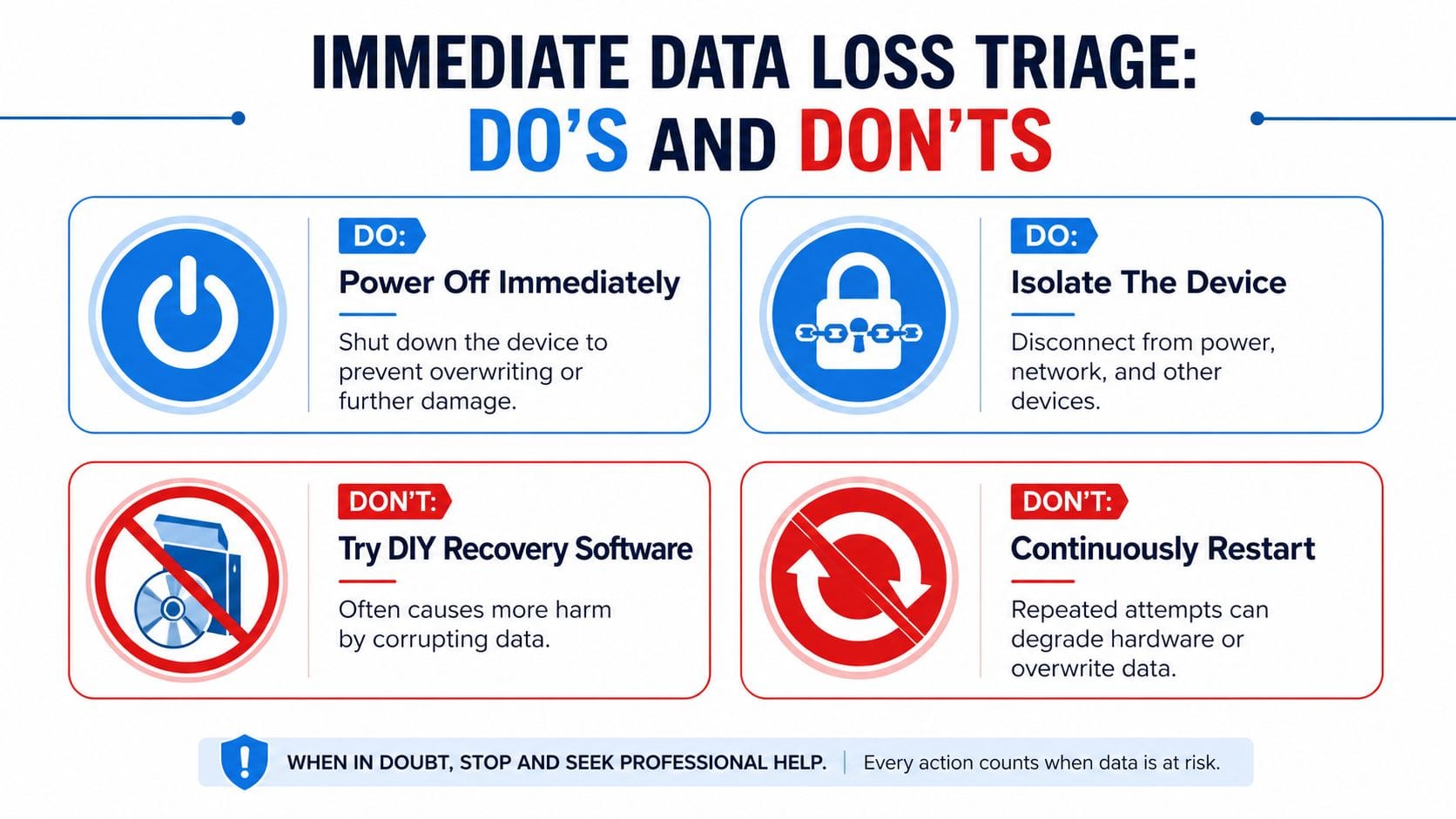
Ottawa-area recovery providers report that over 60% of small-business data loss cases stem from hardware failure or accidental deletion, and DIY recovery attempts are a primary reason a recoverable case becomes permanent loss, based on Ottawa data recovery listings and market information collected by the Better Business Bureau. That's why disciplined triage matters.
Do this first
Write down what happened before the failure. Not your theory. Just the facts.
- What was the device doing: copying files, updating, shutting down, dropped, overheated
- What did you see: error messages, missing folders, blue screen, unreadable drive
- What did you hear: clicking, buzzing, repeated spin-up, silence
- What changed recently: new software, OS update, password reset, staff member deleted files
If you need technical help while you stabilise the situation, get someone who can isolate the issue without experimenting on the live device, such as a team that offers business technical support in Ottawa and Gatineau.
Do and dont list
| Do | Don't |
|---|---|
| Stop Using the Device Immediately. Power it off and disconnect it from power and network. | Don't run recovery software on the same drive. That can overwrite deleted or damaged data. |
| Isolate the hardware. Set it aside so no employee boots it “just to check.” | Don't keep restarting. Repeated boots can worsen file system damage or failing hardware. |
| Document the symptoms. Error messages and sounds help narrow down the failure type. | Don't open a hard drive casing. Dust and mishandling can ruin the platters. |
| Identify business priority data. Know which folders, mailboxes, or databases matter first. | Don't copy random files onto the device. New writes reduce your recovery chances. |
If a hard drive is clicking, grinding, or not spinning normally, stop touching it. That's not a software problem anymore.
A few more blunt recommendations:
- If ransomware is involved, disconnect the device and the network path to shared storage. Don't start “clean-up” on the only copy of the data.
- If an SSD disappeared suddenly, don't assume it's dead forever. But don't keep power-cycling it either.
- If it's a server share, stop users from writing to it before one damaged volume turns into a wider mess.
People usually search for Data Recovery Near Me when they're already stressed and short on time. The fastest path is often the one with the least action at the start.
Diagnosing the Disaster Hard Drive vs SSD vs Server
Not every failure behaves the same way. If you can tell the difference between a bad hard drive, a failing SSD, and a server storage problem, you'll ask better questions and avoid wasting time.
What a failing hard drive usually looks like
A traditional HDD is mechanical. It has spinning platters and moving heads. When it starts failing, it often gives warnings.
Common signs include:
- rhythmic clicking
- grinding or scraping sounds
- very slow folder access before total failure
- the drive appearing and disappearing in the system
- boot loops with disk errors
An HDD failure is like a record player with a damaged needle. Sometimes it still moves, but it can't read cleanly. If you hear noise, assume physical trouble. Don't run scans. Don't let Windows or macOS keep trying to “repair” it if the data is important.
Why SSD failures feel different
An SSD usually fails without the theatre. No clicking. No dramatic spin-up noise. It may vanish from the BIOS, freeze under load, or show folders that won't open.
That's why SSD cases fool people. The device is silent, so they assume the issue must be minor. Often it isn't. Controller faults, corrupted file structures, firmware problems, and NAND-related failures can all make an SSD unreadable while looking perfectly normal from the outside.
SSD problems are quieter than hard drive problems. They're not gentler.
This is also where many DIY attempts go sideways. Software tools can help on a healthy secondary disk with a simple deletion scenario. They're a bad bet on a questionable SSD that may be one power cycle away from total lockout.
When the problem is the server not the file
Server incidents tend to be messier because multiple people touch the same storage. You may not even know there's a disk problem at first. Staff just report that “the shared drive is weird.”
Look for patterns like:
- one shared volume missing or read-only
- RAID degraded warnings
- virtual machines failing to start
- line-of-business apps opening but not saving
- one department losing access while others seem fine
That often points to RAID, NAS, or host storage trouble, not a single bad document. Don't rebuild anything until the issue is understood. A rushed RAID rebuild can turn a recoverable degraded set into a much larger failure.
If you're speaking with a recovery provider, give them the plain symptoms, not a guessed diagnosis. “It clicks and disappears after startup” is useful. “I think the motherboard corrupted the partition table” usually isn't.
How Professional Data Recovery Works in Ottawa
Data recovery is often imagined as one mysterious procedure. It isn't. A decent lab follows a controlled process so the original media isn't damaged further and the recovered data can be checked before it comes back to you.
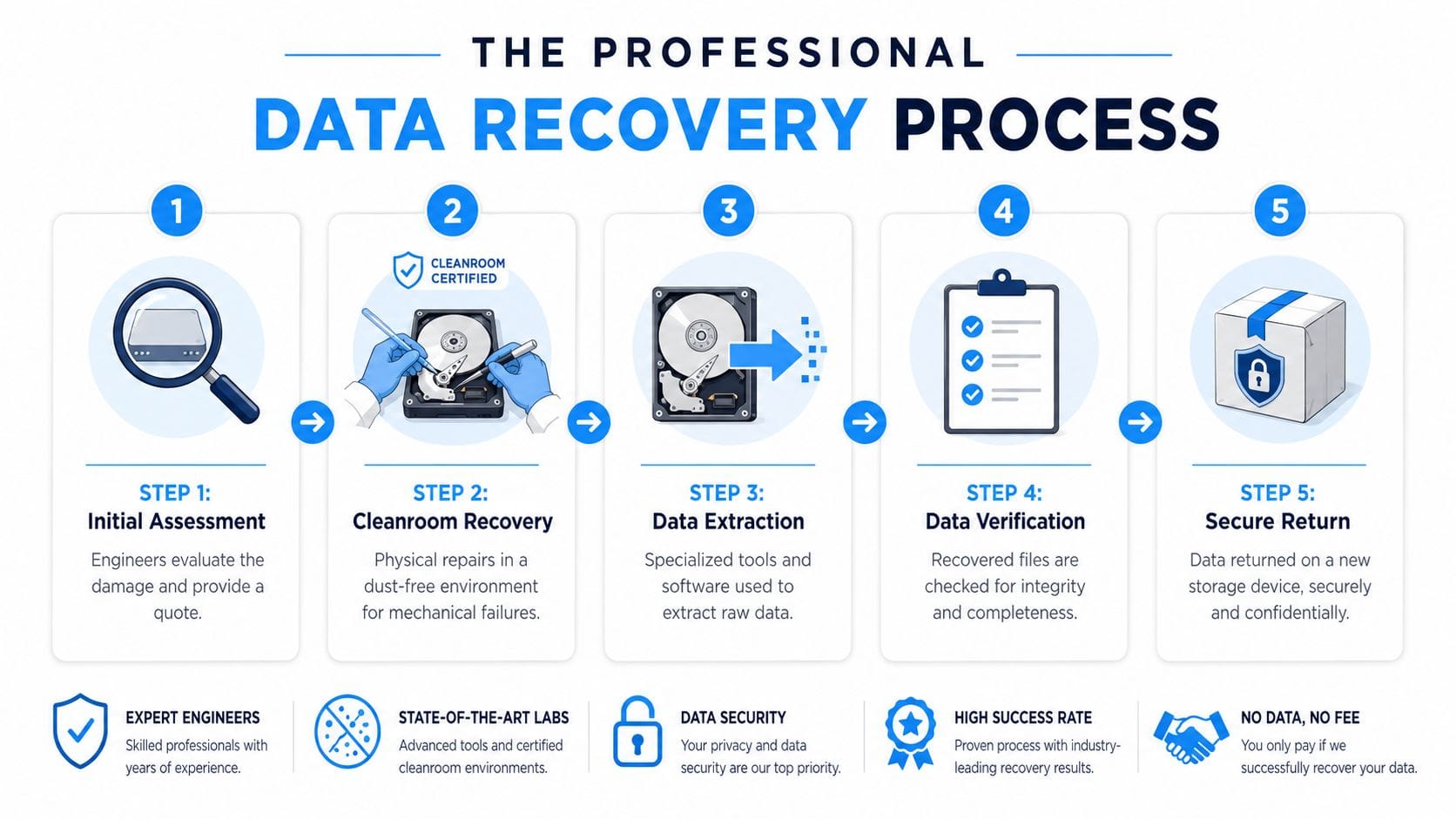
A proper recovery workflow looks like this:
What happens in a proper lab
1. Evaluation
The lab identifies whether the failure is logical, electrical, firmware-related, or mechanical. That matters because the recovery path changes completely based on the failure type.
2. Safe handling of the original media
For logical issues, technicians usually create a forensic-style image first and work from the copy whenever possible. That protects the original source. For physical HDD failures, clean handling matters because opening the drive outside a controlled environment is reckless.
3. Cleanroom intervention when needed
If heads, platters, or internal components are involved, the drive may need specialised bench work in a controlled environment. That's one reason “repair shops” and real recovery labs aren't interchangeable. If the provider can't explain their handling process clearly, keep looking.
A lot of businesses searching Data Recovery Near Me would be better served by firms that can also help them build online disaster recovery solutions for business continuity after the immediate crisis is resolved.
What timeline should you expect locally
Ottawa-Gatineau businesses should expect a slower timeline for physical damage than for a deleted-file or file-system case. In the local market, standard turnaround is typically 3 to 5 business days for logical failures and 7 to 10 days for physically damaged media, while HDD recovery success in local labs exceeds 85% as noted in the earlier Ottawa market data.
That timeline helps you make better decisions internally. If payroll, patient records, or matter files are tied to the missing data, your operations plan needs to assume the business may be waiting days, not hours.
Here's a simple way to think about recovery options:
| Situation | Typical lab approach | Business implication |
|---|---|---|
| Deleted files or damaged file system | Imaging and logical recovery | Often the least disruptive if the drive hasn't been reused |
| Clicking or non-booting HDD | Controlled hardware work and extraction | Slower, more delicate, and easier to worsen with DIY attempts |
| Silent SSD that vanished | Controller or logical diagnostics, then targeted extraction if possible | Unpredictable. Don't assume it behaves like an HDD |
| RAID or server storage issue | Array assessment before any rebuild or extraction | Needs coordination so staff don't keep writing bad data |
A quick visual overview helps if you need to explain the process to partners or staff.
The best labs don't “work magic.” They remove variables, protect the original media, and refuse shortcuts.
Choosing a Service in the Ottawa-Gatineau Region
Businesses often suffer severe consequences. They don't lose data because no provider existed. They lose it because they chose the wrong kind of provider in a hurry.

Ottawa-Gatineau is underserved for court-admissible forensic chains-of-custody, which matters for law firms, clinics, and other regulated organisations that need defensible handling of sensitive media, according to Data Recovery Group's description of forensic and chain-of-custody services in Canada. That gap is easy to miss if you focus only on price or proximity.
The questions that expose weak providers
Ask these before you hand over anything:
- Where is the work performed? If they ship your drive elsewhere, say so plainly.
- Can they explain their process without marketing fluff? Good providers can describe evaluation, handling, and return clearly.
- Do they provide confidentiality documentation? If your files include health, legal, finance, or HR data, this matters.
- Can they preserve chain-of-custody if required? For some firms, this isn't optional.
- What happens if recovery is partial? You need to know how they verify file integrity and what you'll receive.
If the answers are vague, move on. The worst providers hide behind phrases like “advanced technology” and “high success” without telling you how they protect the device and the data.
Cheap is not the same as safe
The cheapest quote often assumes the simplest case. That's fine if the issue is only a mistaken deletion on healthy media. It's not fine when a drive has physical trouble, client confidentiality concerns, or business-critical shared data.
Use this quick decision filter:
| If the provider says this | Treat it as |
|---|---|
| “Just bring it in and we'll try a few tools” | A warning sign |
| “We can open the drive in shop back here” | A reason to leave |
| “We'll document handling and discuss recovery paths first” | A better sign |
| “We can't speak to forensic custody requirements” | A poor fit for regulated firms |
One more opinionated point. Don't pick a provider just because they rank first for Data Recovery Near Me. Search visibility doesn't protect your data. Process does.
The Real Solution From Recovery to Business Continuity
Professional recovery has its place. When you need it, you need it. But it's still emergency work. It's expensive, disruptive, and stressful because you're solving the problem after operations are already hurt.
The smarter move is to make recovery the fallback, not the plan.
For SMBs in Ontario and Quebec, unplanned downtime costs average $8,500 per hour, and a managed online backup solution can reduce recovery time from days to under four hours, according to IT Experts Canada's French-language summary of Canadian backup and downtime findings. This is the fundamental argument for business continuity. Not convenience. Survival.
What a serious backup approach looks like

A real plan includes more than “we have a backup drive somewhere.”
- Automated backup routines that don't depend on one employee remembering
- Documented restore procedures so the team knows what gets restored first
- Tested recovery because an untested backup is just a comforting story
- Local support that understands your systems, staff, and compliance pressures
If you're still relying on a USB drive, a forgotten NAS, or someone's manual cloud sync habit, you don't have resilience. You have hope. If you want a practical starting point, review what a managed business backup service should include and compare it against what you have today.
If this incident exposed gaps in your backup, restore, or disaster recovery process, talk to IT Experts Canada. They work with Ottawa-Gatineau businesses that need dependable IT support, online backup, and continuity planning without the guesswork. A complimentary analysis of your current setup is a far better next step than waiting for the next panic search for Data Recovery Near Me.
0 Comments