

Your office internet drops in the middle of payroll. A staff member clicks the wrong attachment and suddenly everyone is asking whether client files are safe. Then the monthly bill arrives and includes emergency support you never budgeted for. That's how most Canadian SMBs realise their IT problem isn't technical. It's operational, financial, and regulatory.
If you're still running on a break-fix model, you're paying for uncertainty. You wait for something to fail, then you pay to clean it up. That approach worked when a business had one server in a closet and a few desktops. It doesn't work when your team relies on Microsoft 365, cloud apps, remote access, VoIP, online backup, and regulated client data.
Managed IT services in Canada solve a different problem than old-school outsourced support. The point isn't just to fix laptops. The point is to give your business stable systems, a predictable monthly cost, and a security posture that holds up under real pressure. In Ottawa–Gatineau, that also means handling Canadian privacy obligations properly, especially if you touch healthcare, legal, financial, or employee data.
Table of Contents
- Moving from IT Chaos to Control
- What Are Managed IT Services Really
- Core Service Offerings for Canadian Businesses
- Understanding Canadian Pricing Models
- Navigating Canadian Data Compliance
- How to Choose the Right Managed IT Partner
- The True ROI of Proactive IT Management
Moving from IT Chaos to Control
Most owners don't decide to look for managed IT services because they love technology. They do it because the current setup keeps causing friction. Systems go down at the worst time. Staff wait too long for help. Security gets treated like a one-time purchase instead of a daily discipline.
That chaos usually comes from one issue. Nobody owns the environment proactively.
When no one is monitoring workstations, patching software, reviewing backups, tracking licence sprawl, and planning upgrades, your business slips into a reactive cycle. You get surprise downtime, surprise invoices, and surprise risk. That's not an IT strategy. That's avoidance.
What changes when you move to managed services
A proper managed service model replaces one-off rescue work with an ongoing operating framework. Instead of calling for help only after an outage, you hand over routine maintenance, user support, monitoring, and security oversight to a provider that's accountable every month.
That shift matters because it changes how decisions get made:
- Problems get prevented: Monitoring and maintenance catch issues before they become interruptions.
- Costs become forecastable: A recurring agreement is easier to budget than sporadic emergency invoices.
- Staff get support faster: Your team stops losing time to small IT problems that pile up.
- Leadership gets clarity: You can plan renewals, upgrades, security controls, and cloud changes instead of improvising.
Practical rule: If your current IT arrangement only appears when something breaks, you don't have managed support. You have outsourced repair.
Why this matters more in Canada
Canadian SMBs don't just need systems that work. They need systems that support privacy obligations, keep data recoverable, and fit a market where cloud services and hybrid infrastructure are now standard. In the Ottawa–Gatineau region, that pressure is sharper because many firms deal with bilingual teams, remote work, multiple offices, and clients who expect secure handling of sensitive information.
Managed IT services Canada firms should be judged on business outcomes first. Can they keep your team productive? Can they make your costs predictable? Can they reduce operational risk without making everything more complicated? If the answer isn't clear, keep looking.
What Are Managed IT Services Really
Managed IT services are easiest to understand if you stop thinking about them as “tech support” and start thinking about them as property management for your digital environment.
If you owned a commercial building, you wouldn't wait for the roof to leak before hiring help. You'd want someone checking systems, handling maintenance, scheduling repairs, managing vendors, and responding when tenants had problems. Your network, devices, cloud apps, backups, and security tools need the same treatment.

Canadian businesses are already moving in that direction. The Canada managed services market grew from USD 8,182.22 million in 2018 to USD 17,304.83 million in 2024 and is projected to reach USD 44,994.07 million by 2032. That isn't a fad. It reflects a steady shift away from break-fix support and toward outsourced, proactive IT operations.
Think of an MSP as your digital property manager
A managed service provider watches over the systems your business depends on every day. That includes endpoints, servers, Microsoft 365, backup platforms, security tools, networks, internet connectivity, and often vendor coordination. The provider isn't there just to answer tickets. They're there to keep the environment healthy.
That distinction matters. A help desk without monitoring is just a repair desk. A real MSP combines support with prevention, visibility, and planning.
The core pillars that actually matter
Not every managed service agreement is equal. Some providers sell a thin support layer and call it “managed.” Don't accept that. At minimum, the service should cover these pillars:
| Pillar | What it means for your business |
|---|---|
| 24/7 monitoring | Systems are watched continuously so issues can be caught early |
| Proactive maintenance | Patching, updates, routine administration, and hygiene tasks happen on schedule |
| User support | Staff can get help by phone, email, remote session, or onsite when needed |
| Security management | Endpoint protection, firewall oversight, and threat monitoring stay active |
| Strategic planning | Someone reviews the bigger picture, including lifecycle, cloud, and risk decisions |
Here's the part too many owners miss. These pieces only work when they're connected. Monitoring without maintenance creates alert fatigue. Support without documentation creates repeat issues. Security without planning creates expensive gaps.
Managed services should make technology feel boring. If your environment still runs on guesswork, it isn't being managed.
A good provider turns IT into a utility. Your staff know where to get help. Your systems stay current. Your backups are checked. Your security stack is maintained. Leadership gets useful reporting and practical advice instead of jargon.
That's what managed IT services in Canada should deliver. Stability first. Strategy second. Surprises reduced across the board.
Core Service Offerings for Canadian Businesses
A 12-person Ottawa firm loses access to files on Monday morning. Email still works, but the shared drive is encrypted, the phones are unstable, and nobody knows whether last night's backup can be restored. That is a definitive test of a managed IT provider. The value is not in the tool list. The value is in whether your business keeps operating.

For Canadian SMBs, especially in Ottawa-Gatineau, the core service mix should do four jobs well. Reduce security risk. Keep staff productive. Recover fast from failure. Control vendor and infrastructure costs. If a provider cannot show you how each service supports one of those outcomes, the package is padded.
Advanced cybersecurity
Security belongs in the base service, not in a premium add-on. That matters even more for Canadian businesses handling client records, payment data, employee files, or any personal information that falls under PIPEDA or Quebec's Law 25.
A provider should cover the controls that stop common business disruptions, not just install antivirus and call it done. Ask for specific scope:
- Endpoint detection and response: Protection for laptops, desktops, and servers, with investigation and response when suspicious activity appears
- Firewall and network oversight: Policy management, firmware updates, logging, and alert review
- Patch management: Operating system and third-party application updates on a defined schedule
- Identity protection: Multi-factor authentication, conditional access, password policy enforcement, and admin account controls
- Email and web protection: Filtering for phishing, malicious links, spoofing, and risky downloads
- Security reporting: Clear reporting on threats, blocked activity, unresolved risks, and user exposure
Do not accept vague language like "advanced protection." Ask what is monitored, who responds after hours, and whether cloud identities are included. Many incidents in SMBs start with a stolen Microsoft 365 login, not a server room break-in.
Cloud solutions that support real work
Cloud management should make operations simpler and cheaper to run. In practice, that means controlling access, reducing licence waste, protecting data, and keeping staff productive whether they work in the office, at home, or between sites in Ottawa and Gatineau.
For most SMBs, managed cloud services should include:
- Microsoft 365 or Google Workspace administration: Email, collaboration, storage, account setup, and policy enforcement
- Identity and access management: User onboarding, offboarding, permission reviews, and MFA enforcement
- Mobile and endpoint management: Device setup, security policies, remote wipe, and compliance controls
- Structured migrations: Email, files, and line-of-business app moves with rollback planning and minimal downtime
- Licence management: Assigning the right licences, removing unused seats, and avoiding overbuying
Cloud costs drift fast when nobody owns the tenant. Former staff keep licences. Shared mailboxes get licensed incorrectly. Data spreads across personal devices. A managed provider should clean that up.
One practical example is IT Experts Canada's managed IT pricing for Ottawa-Gatineau businesses, which shows how cloud, security, support, and telecom can be grouped under one service model instead of split across several vendors.
Backup and disaster recovery
Backup is where sales promises meet reality. Canadian SMB owners should stop asking, "Do we have backup?" and start asking, "How fast can we recover the systems that generate revenue?"
A proper backup and disaster recovery service should cover more than a nightly copy job. It should define:
- What is backed up: Servers, cloud platforms, Microsoft 365 data, local files, and key business applications
- How often backups run: Based on the business impact of data loss, not provider convenience
- Where data is stored: Including whether copies stay in Canada when data residency matters
- How restores are tested: File-level recovery, full system recovery, and documented test results
- Who leads recovery during an outage: Your staff should not be guessing during an incident
Many Canadian businesses often fall into a particular trap. They pay for backup software but not for recovery planning, storage retention, immutable copies, or replacement hardware. If your server fails and the provider has not addressed loaner equipment, cloud failover, or hardware procurement timelines, your "backup" is incomplete.
If your provider cannot show you restore testing results and a written recovery process, assume recovery will be slow and expensive.
Voice and data services
Telecom oversight belongs in managed IT because outages do not care which vendor caused them. If internet performance drops, VoIP calls fail, or a second location has unstable connectivity, your front desk, sales team, and client service staff feel it first.
A capable provider should review:
- Business internet contracts and failover options
- VoIP configuration, call quality, and handset fit
- Wi-Fi coverage and network segmentation
- Carrier support and escalation handling
- Whether bandwidth matches actual usage across sites and remote staff
This matters in Ottawa-Gatineau because many businesses operate across provincial lines, rely on hybrid work, or serve clients through phones and cloud apps all day. Poor connectivity is not just an inconvenience. It affects response times, missed calls, and billable work.
The right core offering mix is practical. Secure identities and endpoints. Keep cloud systems organised. Make recovery measurable. Treat internet and voice as operational infrastructure, not separate utilities. That is what turns managed IT from a help desk contract into business protection.
Understanding Canadian Pricing Models
Pricing for managed IT services in Canada isn't mysterious. It's just often presented badly. Providers use different billing methods, bundle different service levels, and sometimes leave out costs that matter. That's why owners get blindsided after signing.

What Canadian SMBs usually pay
For most small and mid-sized businesses, the cleanest model is per-user pricing. It works well when each employee uses multiple tools and devices. The national average cost for fully managed IT services in Canada is about CA$180 per user per month, with a typical range of CA$160 to CA$250, while security-inclusive tiers with advanced threat monitoring and managed backup rise to about CA$230 monthly.
Per-device pricing also exists, especially in shared workstation environments such as clinics, front-desk operations, or retail. It can fit specific setups, but it often becomes messy once users have laptops, phones, tablets, and home access needs.
A quick way to compare models:
| Model | Best fit | Watch for |
|---|---|---|
| Per-user | Offices where each employee uses several services | Whether security and Microsoft 365 admin are included |
| Per-device | Shared-device environments | Gaps around user support and cloud services |
| Tiered | Firms with different service expectations | Confusing exclusions between plan levels |
| Fixed-fee | Businesses that want budget consistency | Whether “all-inclusive” actually includes projects and security |
This short video gives a useful overview of how providers frame managed service billing in practice.
Where pricing gets misleading
The headline monthly fee is only half the story. The trap is the exclusion list.
Many Canadian MSP agreements cover help desk, patching, monitoring, and some cloud administration, but leave hardware procurement, workstation replacement, networking gear, printers, and telecom line charges outside the contract. Owners think they bought predictability, then a failed switch, ageing firewall, or dead laptop creates a separate bill.
That's why you should ask for a written breakdown of:
- Included services: Support, monitoring, security tools, backup, Microsoft 365 administration
- Excluded hardware: Servers, laptops, firewalls, switches, access points, headsets, phones
- Project billing: Migrations, office moves, major rollouts, and after-hours work
- Vendor pass-through costs: Cloud licences, internet circuits, and telecom charges
Cheap managed services usually aren't cheap. They're incomplete.
If you want a practical benchmark before talking to providers, review managed IT pricing guidance for Ottawa-area businesses and compare every proposal against the same scope checklist. If one quote is far lower, assume something important has been removed until proven otherwise.
Navigating Canadian Data Compliance
A lot of managed IT content treats compliance like a legal footnote. That's careless. In Canada, privacy obligations should shape how your systems are designed, where your data sits, who can access it, and how recovery works after an incident.
Why PIPEDA changes your IT decisions
PIPEDA isn't just a policy document for your website. It affects operational choices. If your provider handles backups, email, cloud storage, endpoint monitoring, or user identities, that provider is part of your risk surface.
That's not theoretical. A 2024 report noted that 43% of reported data breaches involved third-party service providers, which makes explicit “PIPEDA-aligned handling” in MSP contracts especially important for Ottawa–Gatineau healthcare and legal firms. If your contract doesn't clearly define handling standards, access controls, breach response expectations, and data treatment, you're carrying unnecessary liability.
For businesses operating on both sides of the river, Quebec's Law 25 raises the bar further. You can't rely on generic North American cloud language and assume it's good enough.
What Ottawa-Gatineau firms should demand in writing
You need more than verbal reassurance. Demand contract language and technical documentation that show how the provider handles regulated information. A serious provider should be able to explain its security posture in plain English and map that posture to your business processes.
Start with these requirements:
- Data handling clarity: Where backup data, email data, and cloud files are stored and administered
- Access control discipline: Who can touch your systems, under what permissions, and how that access is logged
- Incident response process: What happens if there's a suspected breach, service outage, or compromised account
- Recovery governance: How restores are approved, performed, and documented
- Compliance alignment: How the provider supports secure controls across devices, accounts, and data flows through services such as managed security solutions for Canadian businesses
Don't ask a provider whether they're “compliant.” Ask them how they prove it operationally.
If the answers are vague, move on. In this market, compliance isn't a bonus capability. It's part of competent service delivery.
How to Choose the Right Managed IT Partner
A provider looks polished in the sales meeting. Three months later, your staff still don't know who to call after hours, invoices keep changing, and a failed firewall takes half a workday to sort out. That is what a bad MSP decision looks like for a Canadian SMB. It creates cost drift, downtime, and avoidable risk.
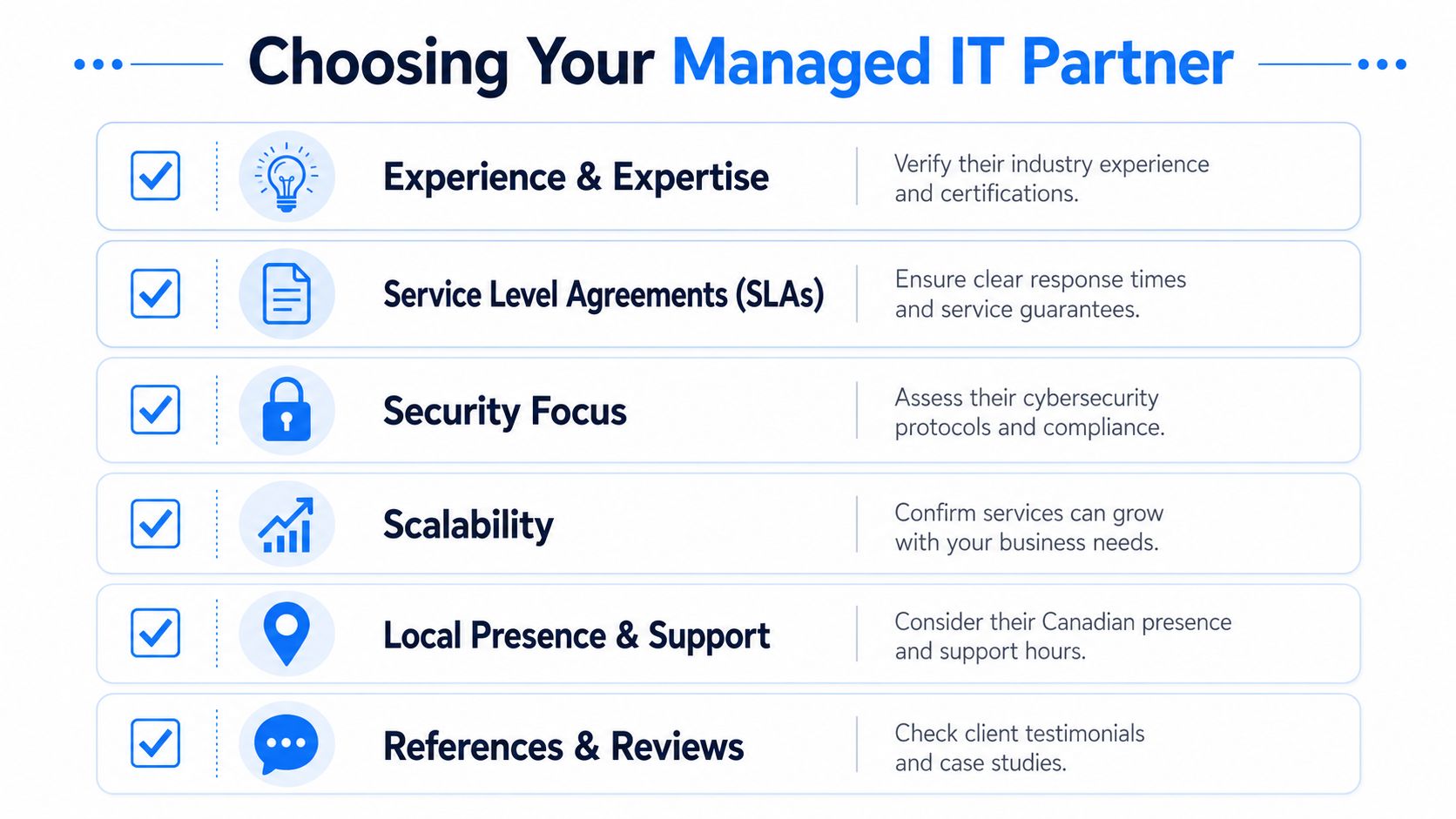
The right partner gives you operational control. You should know what is covered, what is billed separately, how issues are escalated, and who is accountable when something fails. In Ottawa-Gatineau, you also need a provider that understands cross-provincial realities, supports onsite work when required, and can speak clearly about business impact instead of hiding behind technical language.
Questions that expose weak providers fast
Start with how they run support. Ask them to walk you through a real incident from alert to resolution. If the answer is vague, scripted, or packed with jargon, keep looking.
Then press on the details that affect uptime and budget:
What do you monitor every day
Ask for specifics. Workstations, servers, Microsoft 365, backup jobs, firewalls, network gear, and admin accounts should all be named clearly.How are after-hours incidents handled
Get the exact process for evenings, weekends, and holidays. You need to know who responds, what qualifies as critical, and whether extra fees apply.What is included in onboarding
A serious provider reviews licences, hardware age, backup status, network documentation, warranty gaps, administrator access, and third-party vendors before taking over your environment.How do you report on risk and service quality
Ticket counts are not enough. Monthly reporting should show recurring issues, unresolved risks, aging devices, backup failures, and recommended actions.What costs sit outside the monthly agreement
This matters more than many owners realize. Ask about project work, hardware replacement, after-hours labour, onboarding fees, licensing changes, and emergency onsite visits. Hidden hardware and project costs are where “affordable” agreements get expensive fast.
What a strong partner looks like
A capable MSP is disciplined, not flashy. It documents your environment, standardizes support, keeps procurement transparent, and gives leadership a clear view of risk. You should never have to guess whether backup checks are happening, whether security tools are configured properly, or whether old hardware is one failure away from disrupting the office.
For Ottawa-Gatineau firms, local presence still matters. Remote support handles many issues well, but not failed switches, office cabling problems, internet handoffs, workstation replacements, or boardroom outages before a client meeting. If your business depends on physical offices, ask how quickly they can be onsite in the National Capital Region.
Use this checklist when comparing providers:
- Service accountability: Response targets, escalation paths, and support hours are written into the agreement
- Pricing clarity: Monthly fees, project rates, and excluded items are stated before you sign
- Security baseline: Endpoint protection, account controls, monitored backups, and patching are included as standard service components
- Regional fit: They can support Ottawa-Gatineau locations and understand the operational realities of serving clients across Ontario and Quebec
- Strategic value: They help plan hardware refreshes, vendor decisions, and cloud changes instead of waiting for things to break
If you want a practical way to compare providers, start with a free IT infrastructure analysis for your current environment. Use the findings to measure each MSP against the same operational and financial criteria. That is how you choose a partner that reduces surprises instead of creating new ones.
The True ROI of Proactive IT Management
The return on managed IT services isn't abstract. It shows up in fewer interruptions, less internal distraction, clearer budgeting, and lower exposure when something goes wrong.
That's why I recommend treating managed IT as an operating investment, not a support expense. When your provider keeps systems maintained, staff supported, security enforced, and backups recoverable, your team gets time back. Leadership gets fewer surprises. Clients get a more reliable business.
For Ottawa–Gatineau companies, the upside is even more practical. You need technology that respects Canadian privacy obligations, supports hybrid work, and keeps day-to-day operations stable without turning every issue into a project. That's what a competent managed partner delivers.
If your current setup still depends on luck, memory, and emergency calls, it's already costing you more than you think.
If you're evaluating options for IT Experts Canada, start with a no-obligation review of your current environment, your support gaps, and your compliance exposure in Ottawa–Gatineau. The right next step isn't buying more tools. It's getting a clear picture of what's fragile, what's overdue, and what should be standard by now.
0 Comments